
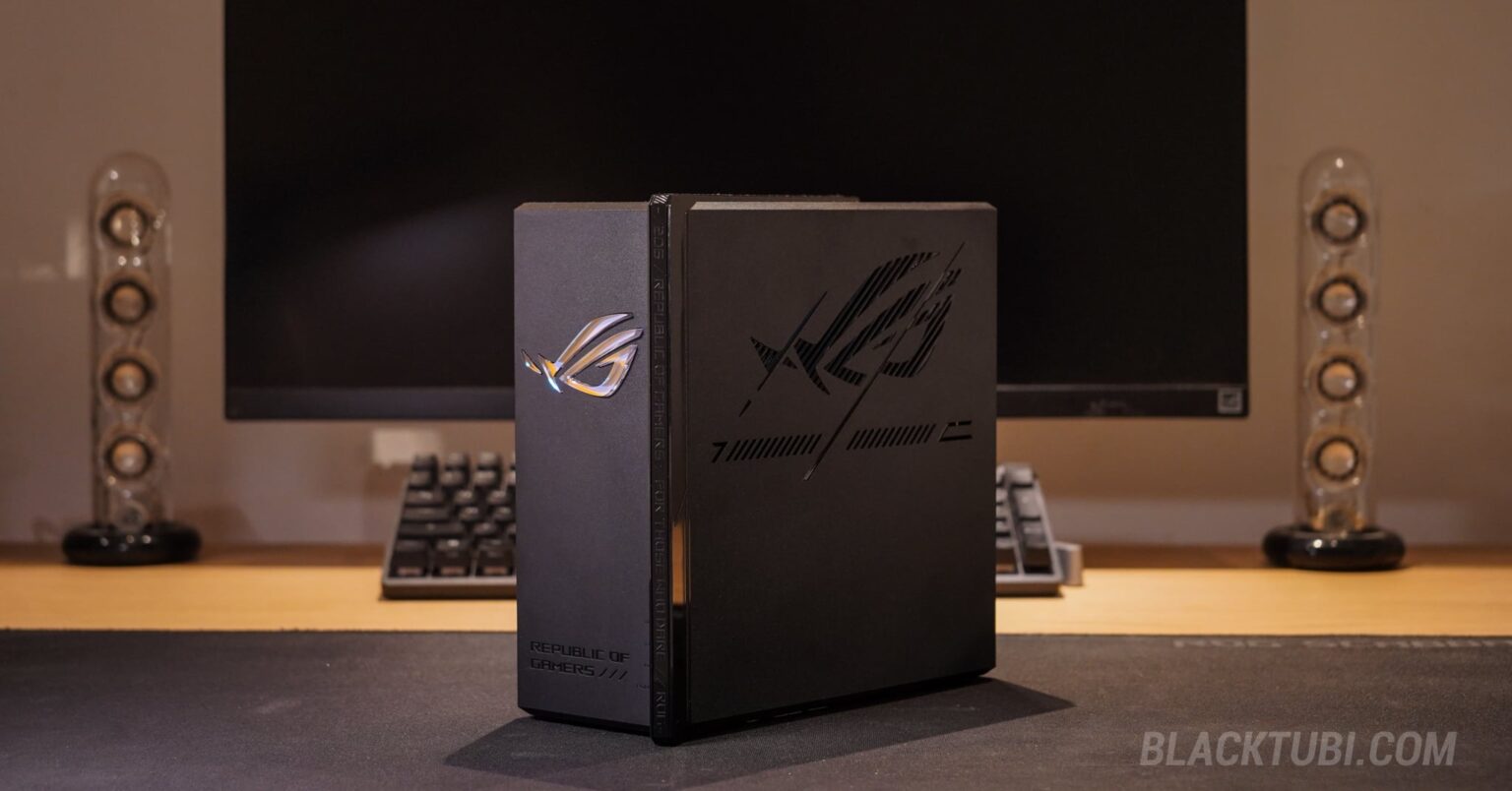
The ASUS ROG Strix GS-BE7200X is a bit of a departure from the usual “spider” router designs we see from ROG. It trades the aggressive external antennas for a sleek, internal antenna design that looks deceptively simple. But don’t let the clean looks fool you, this is a serious WiFi 7 gaming router and the performance might surprise you.
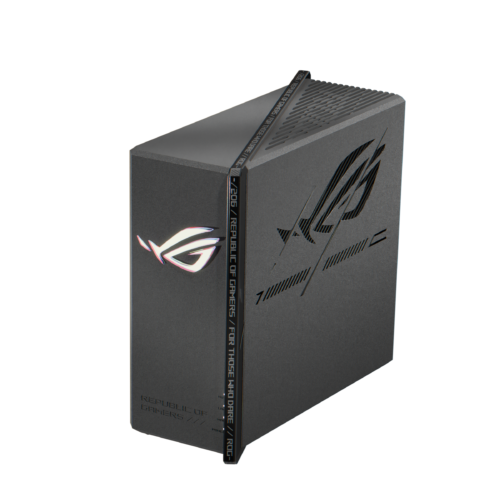
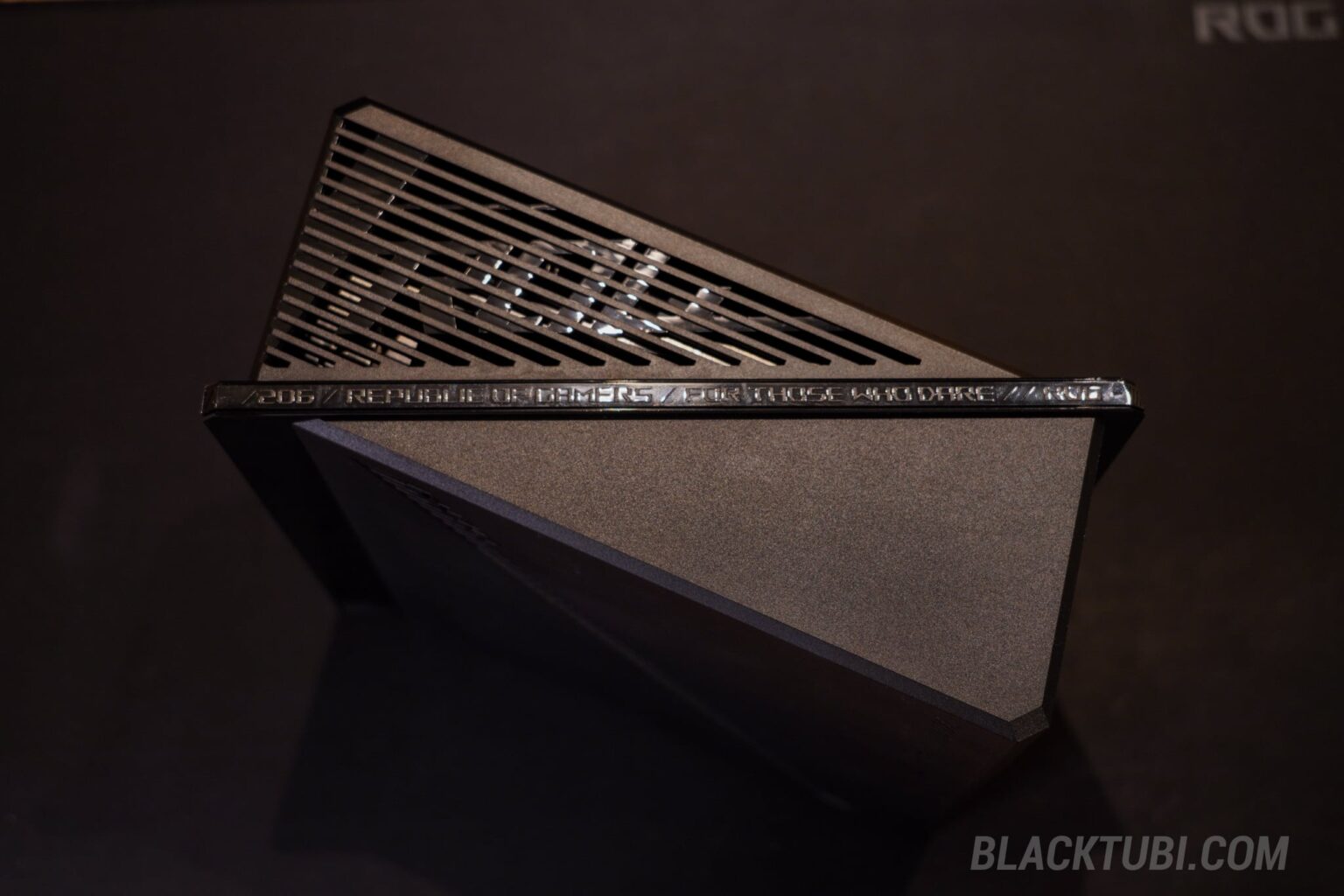
The design is where the GS-BE7200X really shines. ASUS calls it the “Slash” design, featuring a diagonal cut across the top with subtle texturing. It’s compact, but the build quality is really solid and premium. It feels dense and well-constructed, not hollow like some cheaper plastic routers, and you can definitely feel the weight of the heatsinks inside when you pick it up.
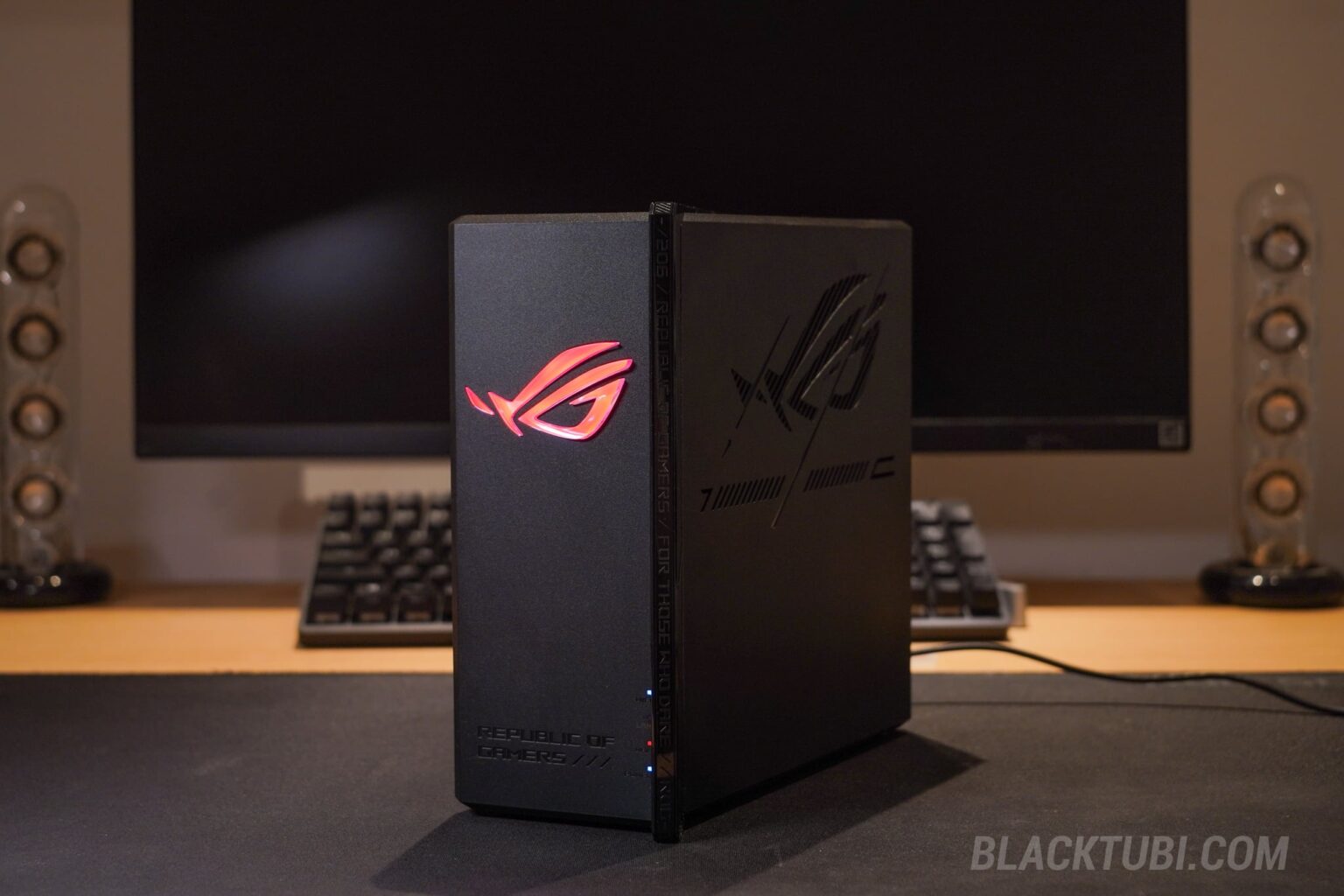
The RGB lighting at the ROG logo is the cherry on top. It is vibrant and bright, but distinctively not glaring or distracting, even in a dark gaming room. The colors are deep and saturated, adding a nice cyberpunk aesthetic. Best of all, the lighting effects can be fully controlled; you can cycle through different modes or turn it off completely directly on the ASUS Router app.
Even when the lights are off, the design looks amazing. The ROG logo features a crystal-like finish that reflects and refracts ambient light, creating a unique, dazzling rainbow effect. It looks just stunning. In fact, this is probably the best design ROG has ever executed on a router as it looks premium and sophisticated; not overly extreme.
ASUS ROG Strix GS-BE7200X
9.1
Tubi Rating
pros
- Excellent game acceleration features that worked
- Great long range 5Ghz and Wi-Fi 7 MLO performance
- AiProtection Pro security included without additional subscription needed
cons
- Only comes with 1x 2.5G LAN port with 4x Gigabit LAN ports
Hardware and Specs
Powering this beast is the MediaTek MT7988, a 1.8GHz triple-core processor paired with 1GB of DDR4 RAM. Now, don’t let the “triple-core” count fool you. In our CPU performance testing, this MediaTek chip actually outperforms the Broadcom BCM6764 2.0GHz quad-core processor found in many other ASUS routers such as the TUF-BE3600.
It handles heavy traffic loads, simultaneous gaming sessions, and Wireguard VPN server with absolute ease, proving that efficient architecture matters more than just raw core count. This snappy performance ensures the web interface loads instantly and the router never feels sluggish, even under a heavy load.

The port selection here is a clear step up from the previous generation. You get a 10G WAN port, ensuring you are ready for any fiber plan updates for the next decade. There is also a dedicated 2.5G Gaming Port which is perfect for connecting a gaming PC or a console. ASUS still include a USB port which can be used for things like file sharing or printer sharing on the network.
Short Range WiFi Speed Test
We tested this against other ASUS routers to see if the WiFi 7 upgrade is worth it. The answer is a resounding yes. On the 5GHz band, the GS-BE7200X utilizes 4096-QAM to deliver more data and this means you will get a faster Wi-Fi speed than Wi-Fi 6 especially when you are further away from the router. It constantly outperforms older WiFi 6 routers from ASUS as well.
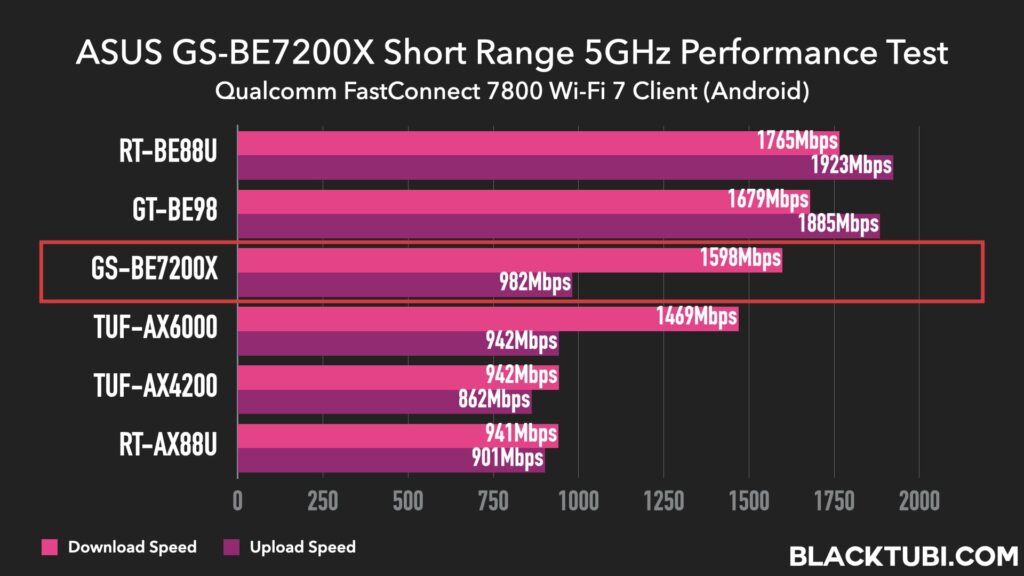
The real star of the show here is the latency and consistency of the 5GHz WiFi band. Thanks to the inherent improvements in WiFi 7, the latency over wireless is noticeably lower than previous generations. This translates directly to a smoother gaming experience where ping spikes and sudden lags are greatly reduced. It feels almost as responsive as a wired connection, which is a massive win for mobile gamers or those with an ROG Ally.
ROG GS-BE7200X Long Range WiFi Test
Many users worry that internal antennas mean bad range. However, ASUS has packed 8 internal antennas inside this chassis, paired with high-power Front End Modules (FEMs). In fact, I am surprised by the long range WiFi performance of this router which outperforms the TUF-BE6500 I reviewed previously and that model comes with 6 external antennas.

While this router is dual-band and does not support the new 6GHz band, I really do not miss it. Considering how weak the coverage of 6GHz is in real-world scenarios, most of the time the 5GHz band will actually perform better once you’re not physically being in the same room as the router. Having said that, 6GHz is really beneficial when used as the mesh backhaul.
ROG GS-BE7200X MLO Test

We also tested the MLO performance on the GS-BE7200X on our laptop and it’s working great with the Intel BE200 WiFi adapter. The performance is decent and we do not encounter any weird hiccups or compatibility issues unlike some other WiFi 7 device that we have tested. It’s also the best MLO result we ever achieved on a 2.4GHz and 5GHz dual-band product.
GS-BE7200X AiMesh Extension
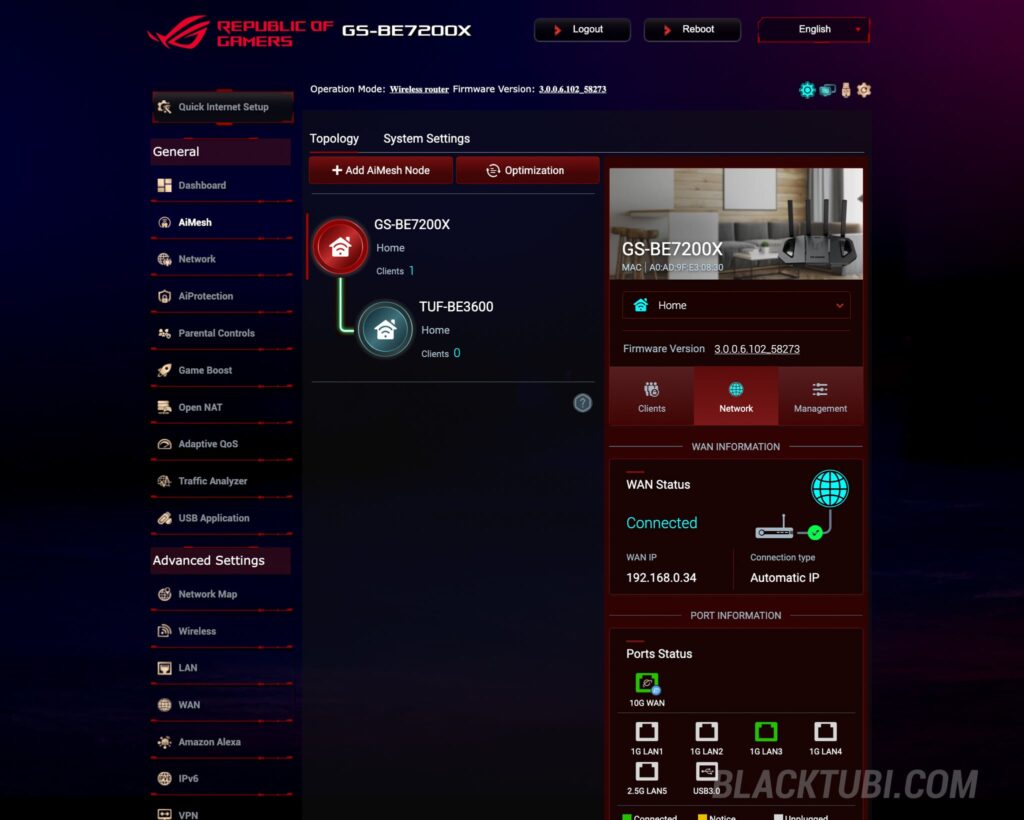
The GS-BE7200X is an AiMesh router which means you can link that with other ASUS AiMesh routers and have several units working wirelessly to extend the coverage of your home. You can either use your older ASUS routers since it’s backwards compatible with WiFi 6 as well. In my case, I tested it with the ASUS TUF-BE3600 and it works flawlessly without any hiccups.
Since ASUS AiMesh is a fully fledged mesh solution, it supports plenty of features such as seamless roaming, client binding and manual path selection. For those who wish to obtain a faster performance, you can use a LAN wired backhaul to the mesh node as well. The performance is generally quite good as each ASUS routers are actually high performance routers.
GS-BE7200X Mesh Features
Wired Backhaul: Yes ✅
AP Mode Mesh: Yes ✅
802.11r Fast Roaming: No ❌
802.11k/v Roaming: Yes ✅
Client Binding: Yes ✅
Signal Source Selection: Yes ✅
Guest WiFi on Node: Yes ✅
App Management: Yes ✅
USB File Sharing Performance
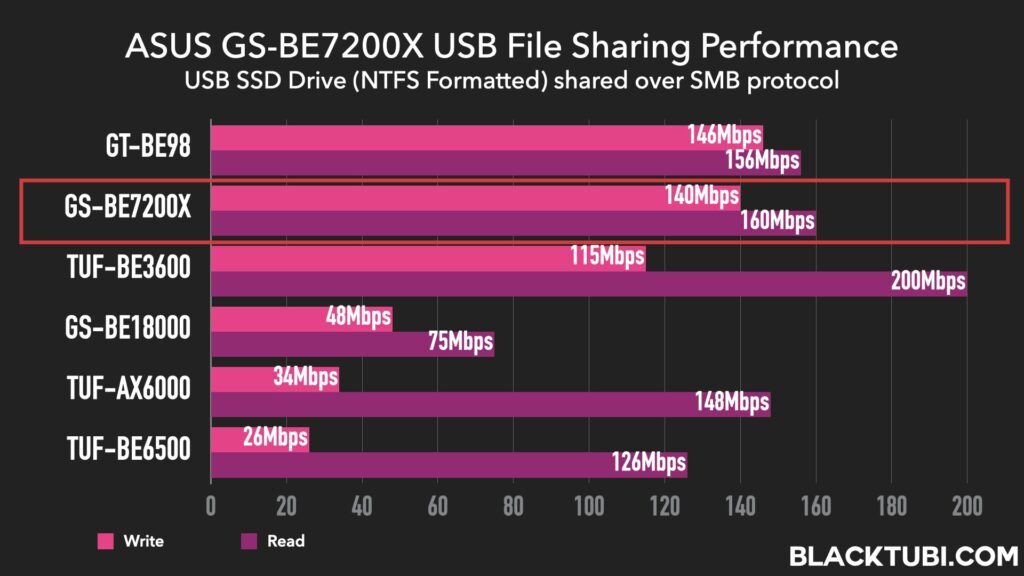
We were genuinely surprised by the USB performance on this unit. The file sharing speeds via the USB 3.0 port are downright impressive. In fact, the read and write speeds are strikingly similar to the ZenWiFi BT8, which makes sense as they utilize similar powerful MediaTek silicon. This further proves that the MediaTek chip inside the GS-BE7200X is a performance powerhouse, handling Samba file transfers without breaking a sweat.
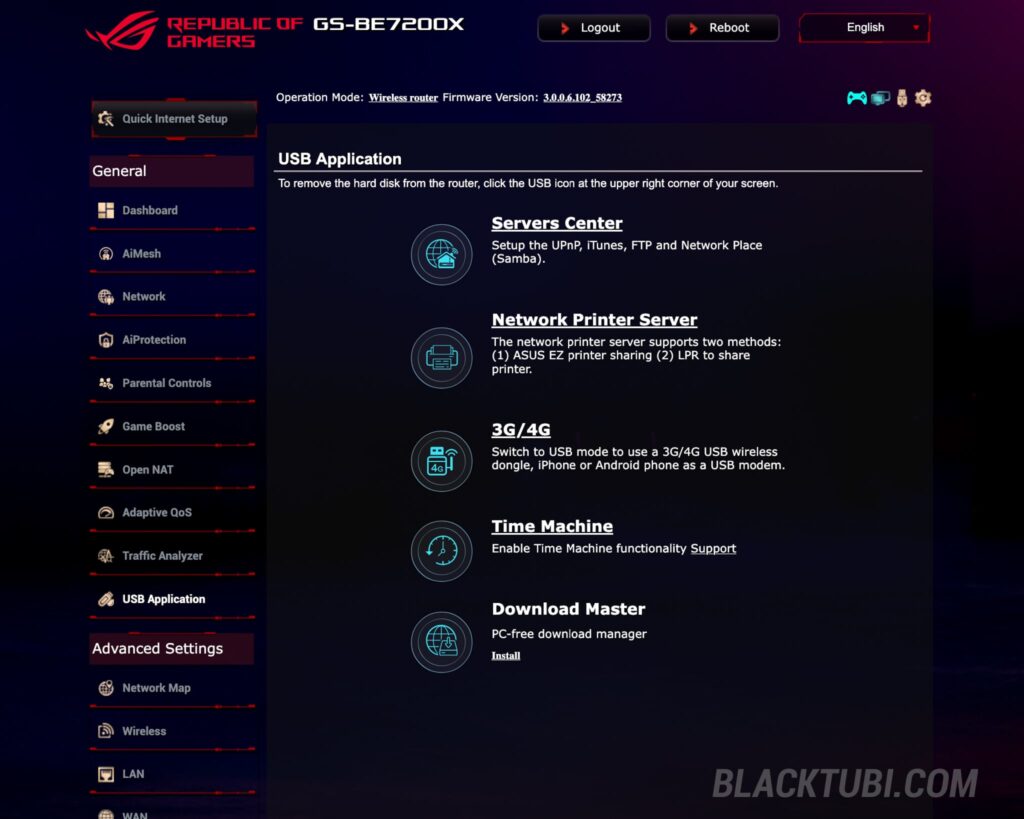
Apart from file sharing, the USB port on the router can support many applications such as printer sharing and hosting a Time Machine backup server for your macOS computers. It can even support USB 4G/5G Internet tethering to the router as the main Internet or as a backup when you connect a supported phone or USB modem to the router.
Firmware and Features
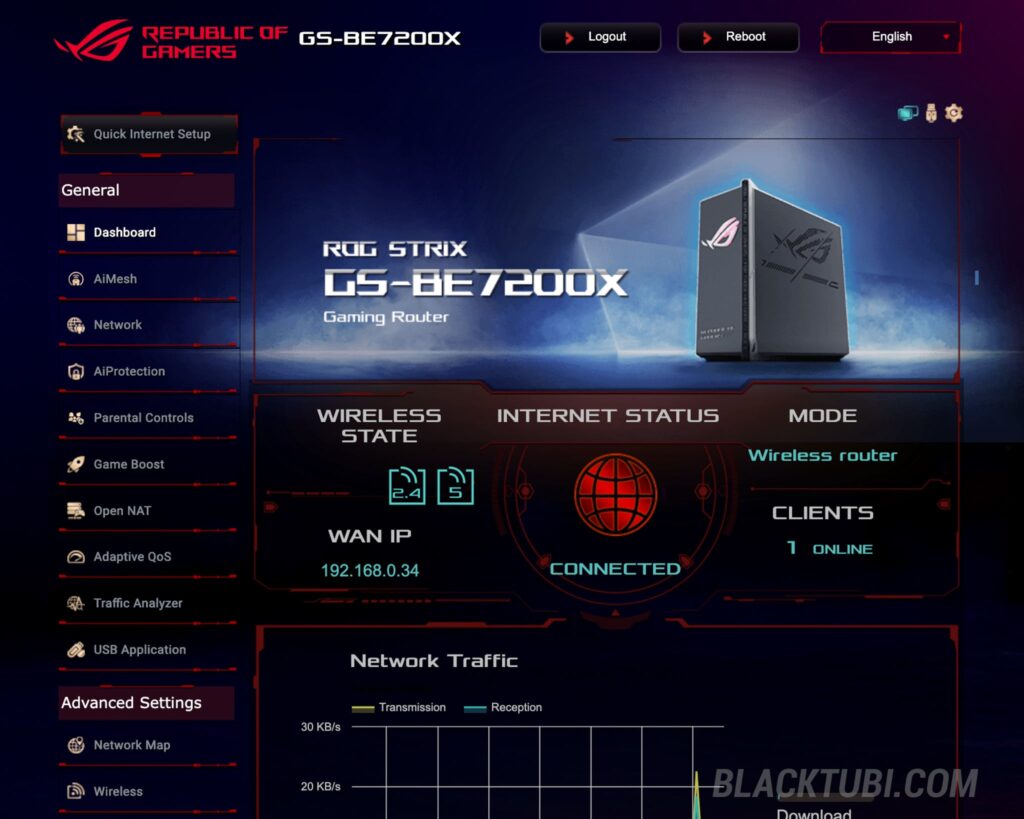
The GS-BE7200X runs the familiar ASUSWRT firmware but with a refreshed ROG skin. I think it looks better than the one on the ROG Rapture GT-BE98. Like all ASUS routers, it’s packed full of features which many you’ll probably never use. The firmware is generally stable and since WiFi 7 has been around for quite sometime, pretty much all the bugs are eliminated.
Since this is a gaming router, the most important feature would probably be the game acceleration. The GS-BE7200X comes with a gaming QoS profile which uses deep-packet-inspection to identify and prioritize gaming packets. This would result in a lower and a more consistent latency especially on a busy network with plenty of other devices.

Apart from this, ASUS also partnered with GearUP which provided a console booster feature implemented directly on the router. This feature is sort of a VPN and it’s designed to improve the routing between you and the game server. It’s really helpful when you are playing games on a server that’s further as your ISP typically do not have the best routing to servers abroad.
Lastly, the GS-BE7200X comes with a mobile game booster, designed to boost connection for mobile gamers. You’ll need to install the ASUS Router App on your phone and activate it over there. How it works is it will identify your mobile devices and allocate a higher connection priority over other wireless devices on your network, improving latency and stability of the connection.

Security is always a strong suit for ASUS, and the GS-BE7200X is no exception. It comes equipped with AiProtection Pro, a commercial-grade security suite powered by TrendMicro. The best part? It’s completely free. This is a massive advantage over competitors like Netgear or Eero, who increasingly hide these essential features behind monthly subscriptions. In our testing, the system worked flawlessly, instantly blocking access to known malware-infected websites and adding a layer of protection for every device on your network.
Closing Thoughts
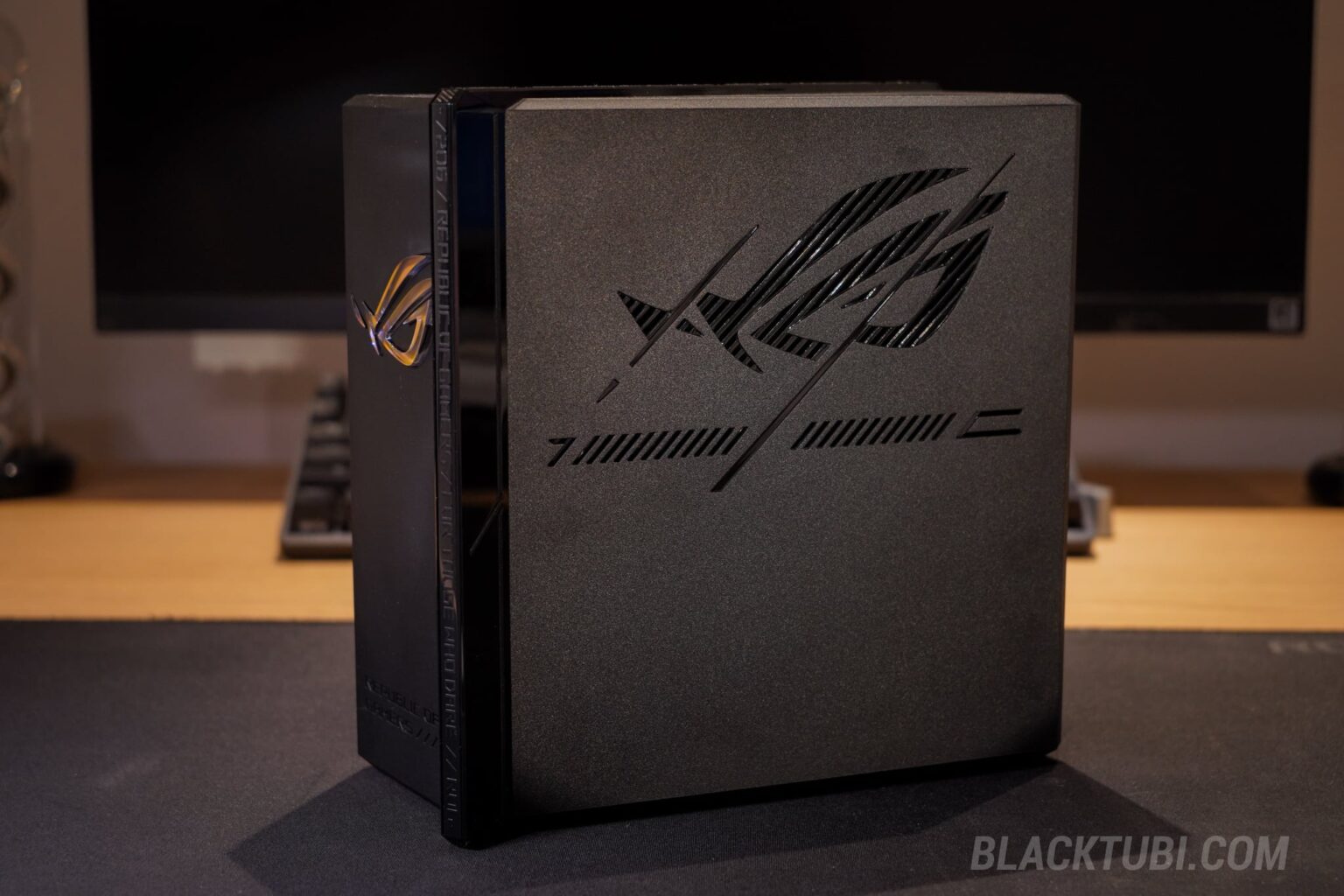
The ASUS ROG Strix GS-BE7200X is the perfect upgrade for anyone still clinging to their Wi-Fi 6 routers. It’s relatively inexpensive but delivers a performance that impresses. I particularly like the high quality antenna-less design that fits better in a modern home. Plus, it’s much easier to clean when it gets dusty eventually as well.
As for the software side of things, the goal here is clear. ASUS is prioritizing on stability and latency which is probably the most important factors for gamers. The router is designed to ensure devices have a more consistent network and this would result in smoother game play and eliminate ping spikes and lags.
China has a scaled down? Version called magic box air.
I see less ram (from 2gb to 1gb) and different processor and less antenna (from 8 to 6) but it claims higher WiFi transmit power (not sure what it means) from 5G : 4T5R to 5G : 5T5R.
I’m just in the market for a more stable router as my Tuf-be6500 occasionally crashes.
Do u think the China variant suffice or go for the version with more internal antenna?
TUF-BE6500 is actually a good product. If you’re facing issues with it, consider sending it back for RMA.
Hi blacktubi
I currently have Unifi 500mbps setup in my double story house which is about 2300sqft. I am using Deco M4 and plan to upgrade the router. I am planning to just have 1 router if possible with good coverage and the fiber connection is on the ground floor. I have these routers in my mind and could you advice which one is more appropriate for my setup:
ROG Strix GS-BE7200X
TUF Gaming BE6500 (TUF-BE6500)
RT-BE86U
Thank You.
Get the RT-BE86U, the WiFi coverage is best in class.