

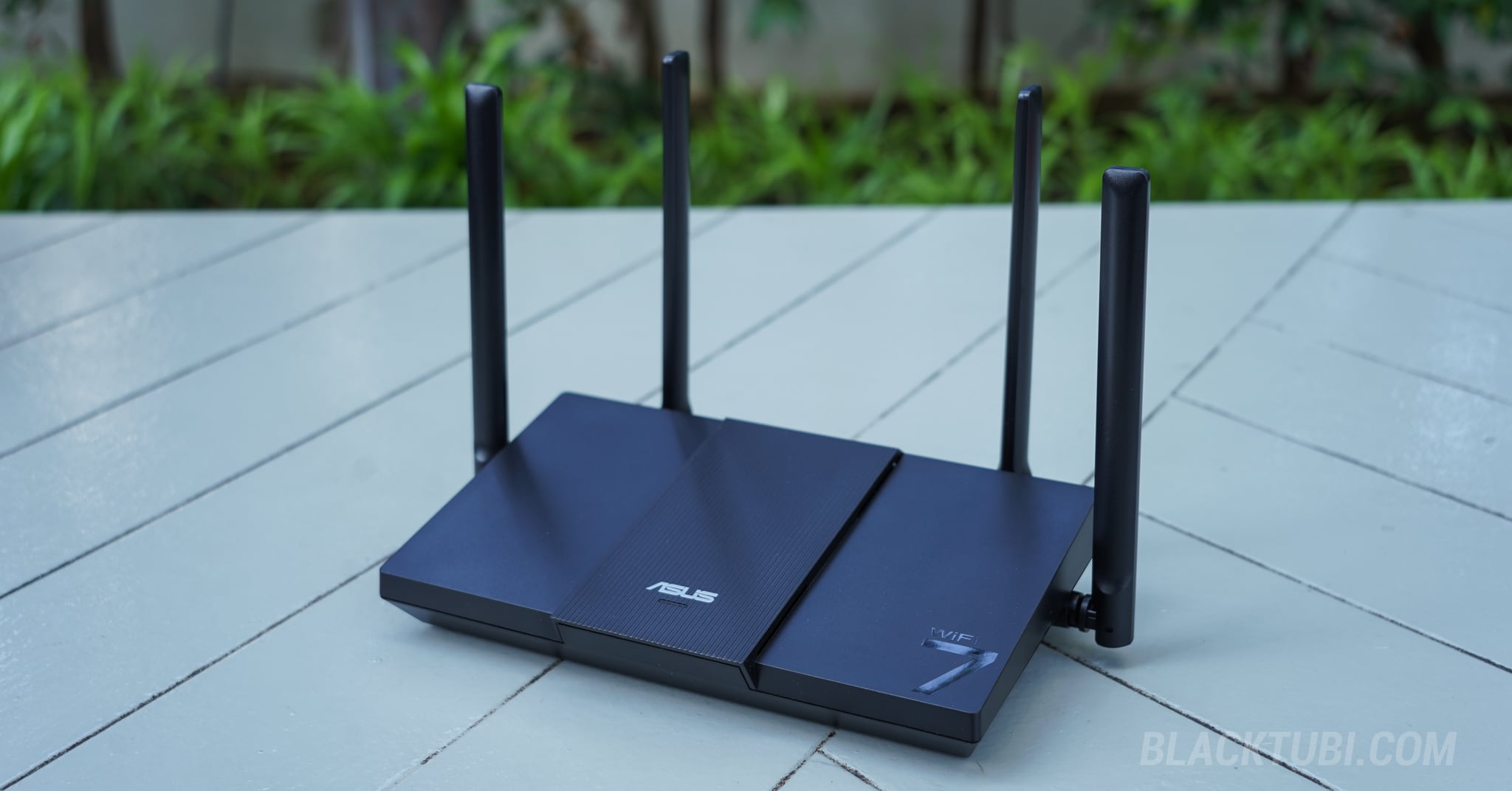
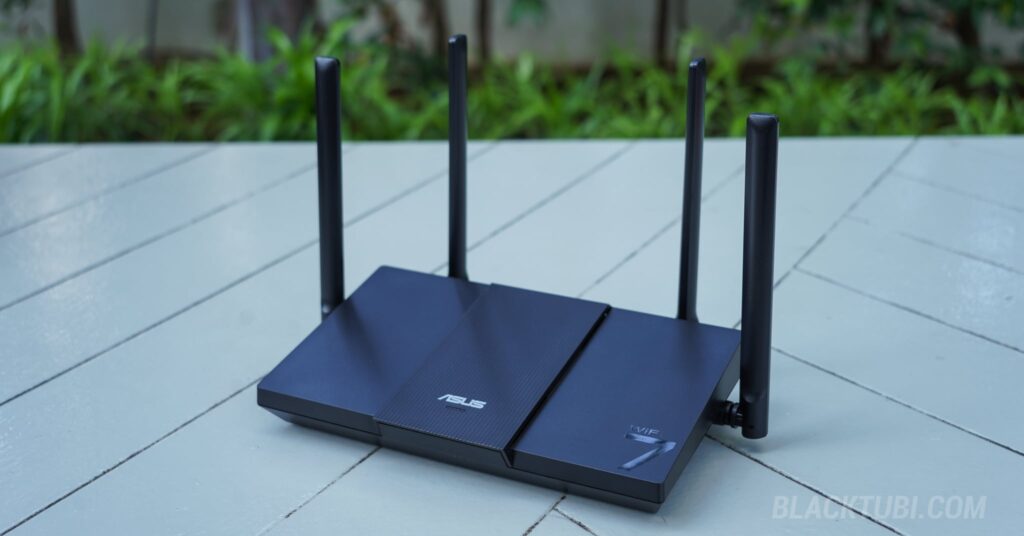
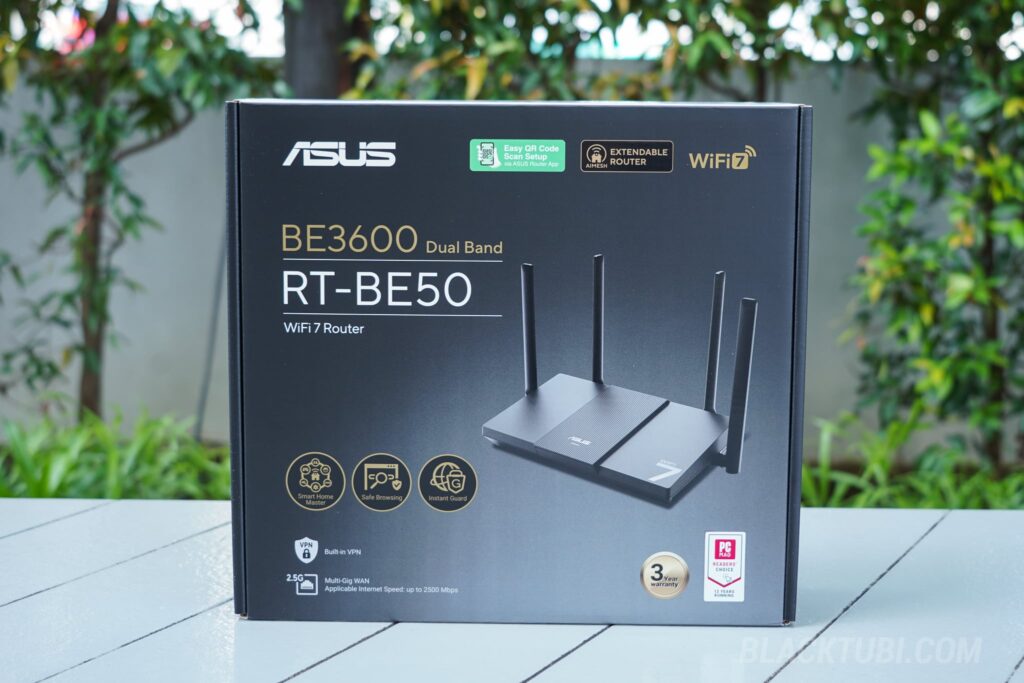
ASUS has long been recognized for producing high-performance routers, such as the ROG Rapture GT-BE98, which often come with premium price tags. The ASUS RT-BE50 aims to shift that paradigm. Positioned as an accessible entry model, the RT-BE50 is ASUS’s latest attempt at delivering an affordable router that maintains solid performance and robust security.
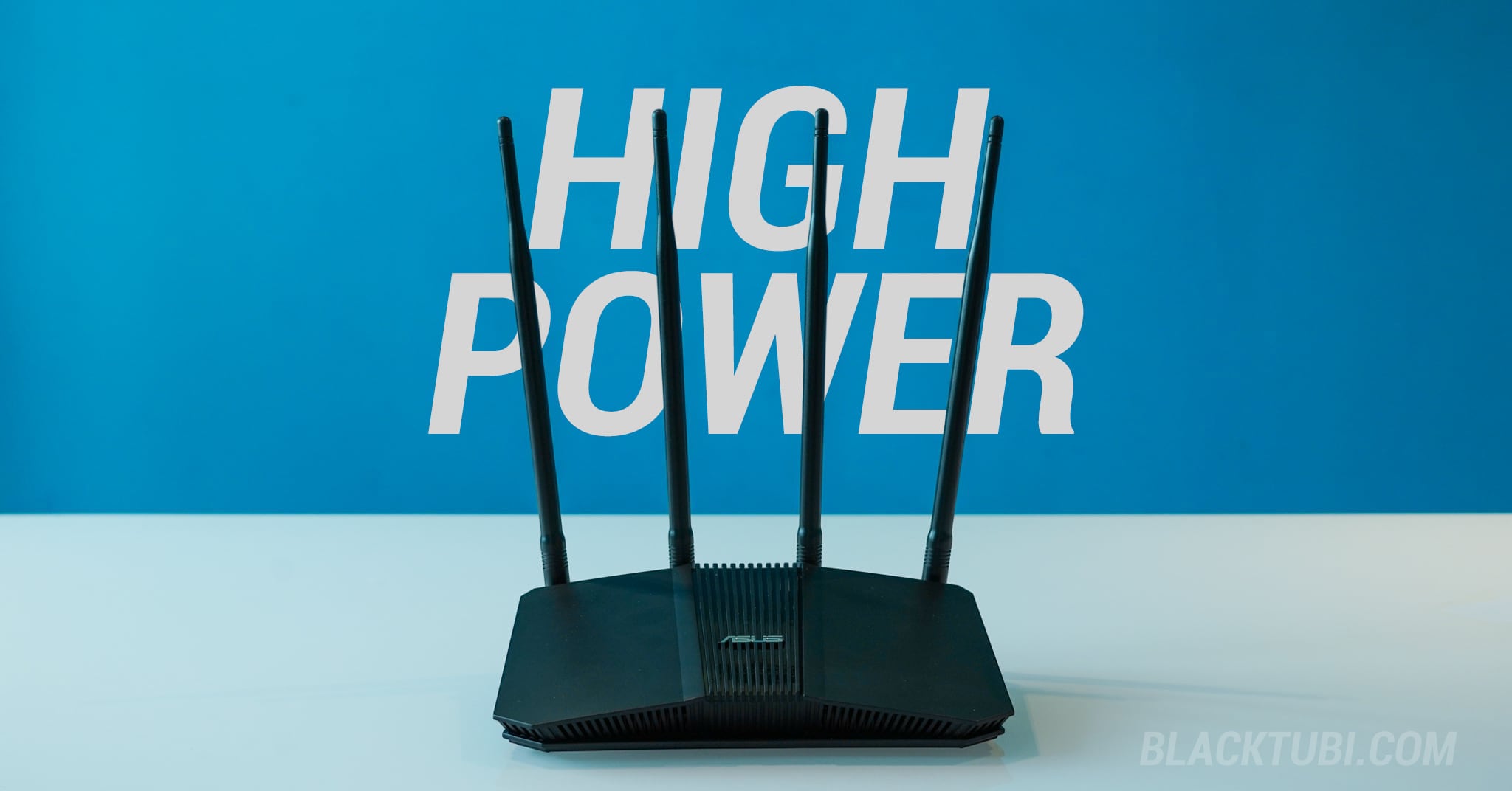
In terms of design, the RT-BE50 adopts a simple, traditional router aesthetic with a standard matte black finish. Despite being an entry-level product, it feels decently well put together. The unit carries a reassuring amount of weight, and the external antennas are solid and securely attached, avoiding the flimsy, loose feel that are often found on other budget routers on the market.
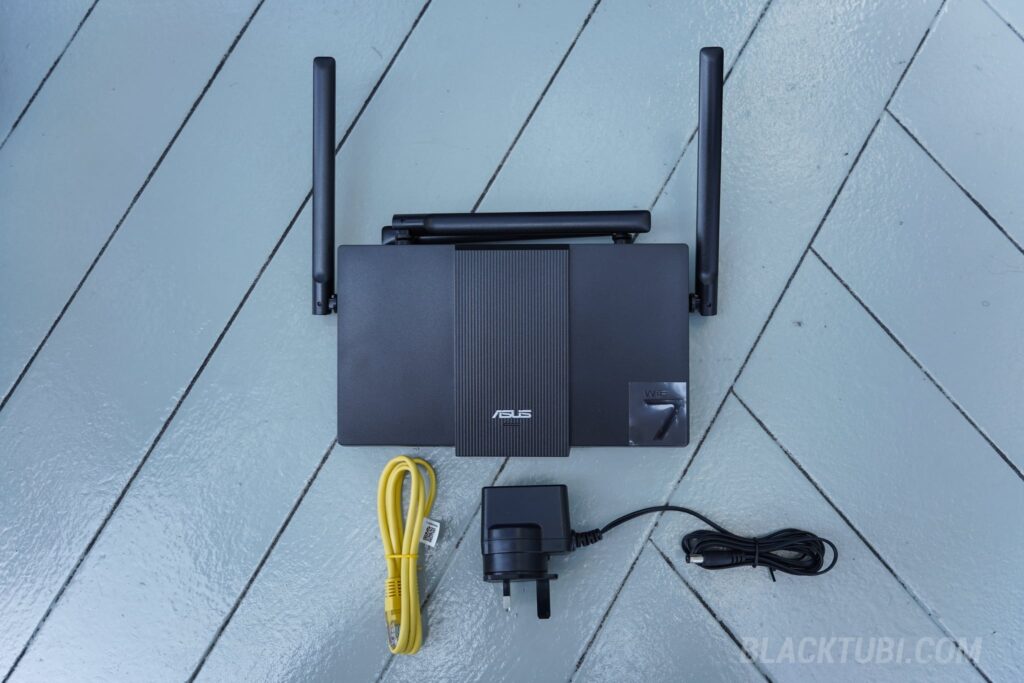
Flipping the RT-BE50 over reveals the bottom panel with plenty of ventilation holes that effectively dissipate heat. During our testing, the router ran noticeably cool and never became hot to the touch. Additionally, the base features integrated wall-mounting holes, which is a highly practical inclusion that is absent on the RT-BE58U model.
ASUS RT-BE50 Specifications
Under the hood, the ASUS RT-BE50 is powered by a Qualcomm Quad-Core ARM-A53 CPU. While ASUS has not disclosed the exact model or frequency, we were told that the CPU performance is much faster than their previous entry model, the RT-AX53U.
If there is one area to nitpick regarding the specifications, it would be the RAM size, as the RT-BE50 is equipped with just 256MB RAM. Given the state of high RAM prices in 2026, it is not entirely surprising to see ASUS cut costs here to maintain an affordable price tag. For households with a higher density of connected smart devices, I would suggest stepping up to the ASUS RT-BE58U with 1GB RAM instead.
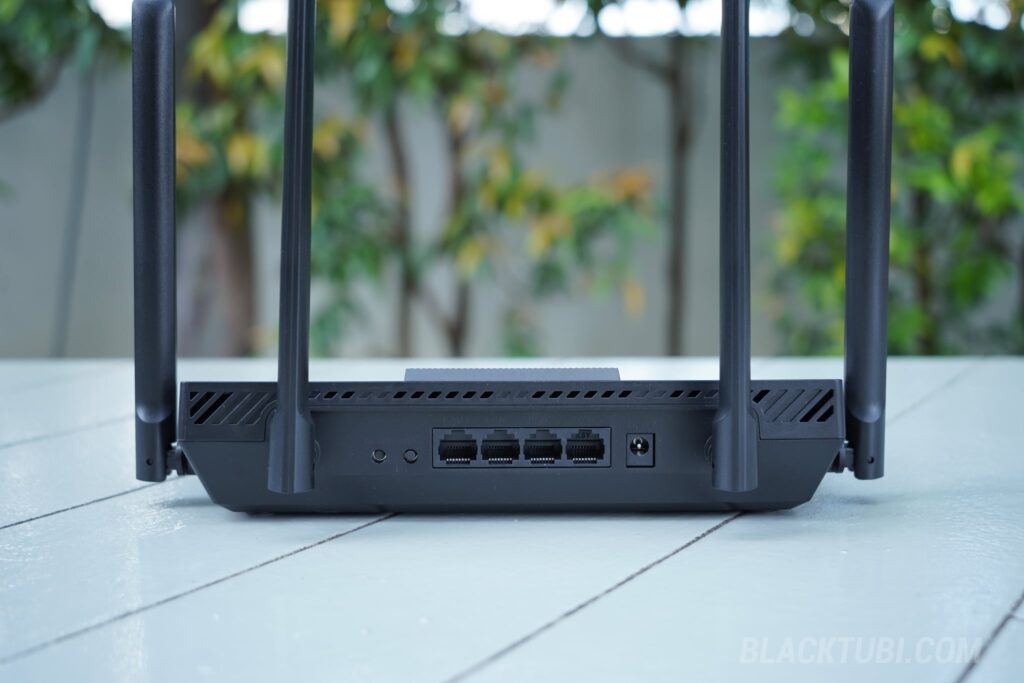
As for connectivity, the RT-BE50 is equipped with a single 2.5G WAN port and three Gigabit Ethernet LAN ports. Because it lacks a 2.5G LAN port, single wired client speeds are capped at 1Gbps. Therefore, this router is best suited for users on internet plans up to 1Gbps.
ASUS RT-BE50 Wi-Fi 7 Performance
To evaluate real-world Wi-Fi performance, we compared the RT-BE50 against other ASUS routers and the Skyworth GN630 (a Wi-Fi 6 AX3000 router commonly provided by Unifi in Malaysia). The speed tests were conducted using a ROG Phone 9 Pro (Wi-Fi 7) and an older iPhone 12 Pro (Wi-Fi 6) to measure generational improvements.
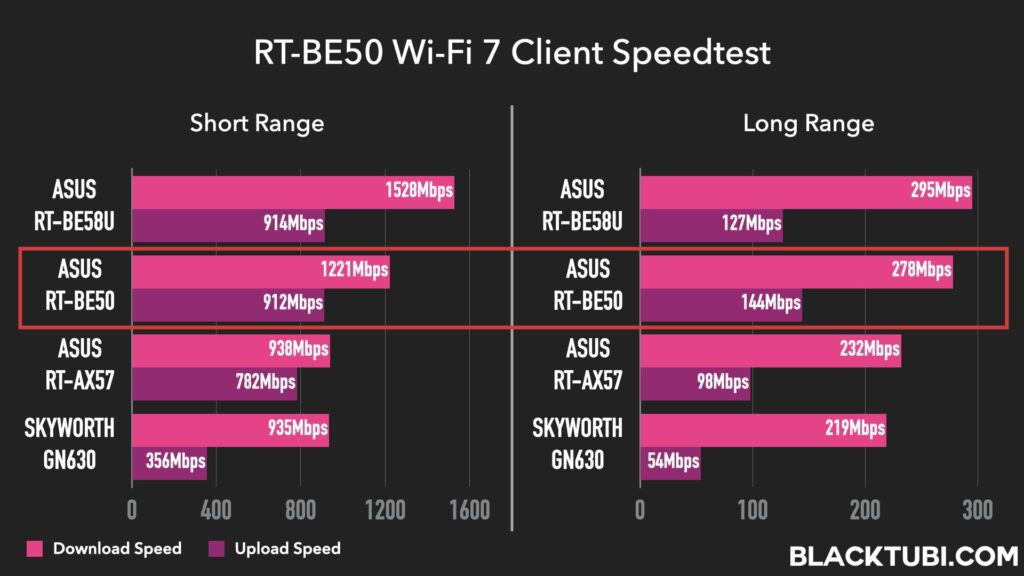
For users upgrading from a standard Wi-Fi 6 AX3000 router, the RT-BE50 represents a noticeable step up, especially when paired with Wi-Fi 7 devices. The RT-BE50 delivered Wi-Fi speeds nearly 20% faster than the ASUS RT-AX57, and this performance gap widened to 27% when compared to the ISP-provided Skyworth GN630.
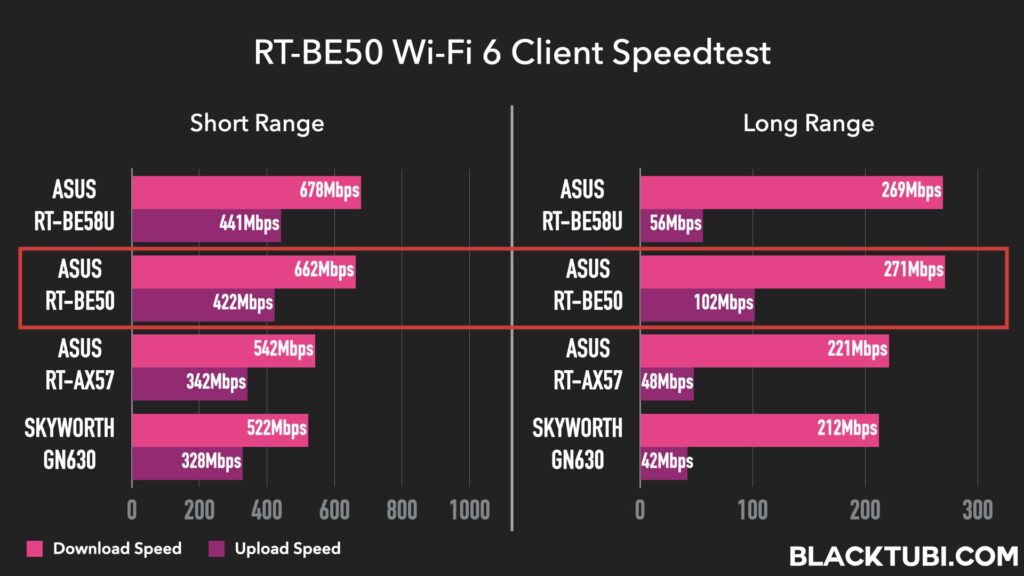
Interestingly, the benefits extend to legacy devices as well. During our second test with the Wi-Fi 6-limited iPhone 12 Pro, we still recorded a significant 28% speed improvement over the Skyworth GN630. As we have observed in previous reviews, Wi-Fi 7 routers often improve the experience for older devices due to upgraded internal networking components, such as higher-quality signal amplifiers.
As for the WiFi coverage, it’s actually pretty good despite being an entry level router. It’s not mind blowingly good like the RT-BE88U but it’s decent enough and would be better than most free routers that you get from the Internet service provider.
Extendable Router (AiMesh)
While the standalone coverage of the RT-BE50 is highly capable, larger homes or multi-story layouts may require network expansion. This is where ASUS’s AiMesh technology shines. The RT-BE50 functions as an “Extendable Router,” which means you can seamlessly link other ASUS routers to create a mesh network for wider coverage.
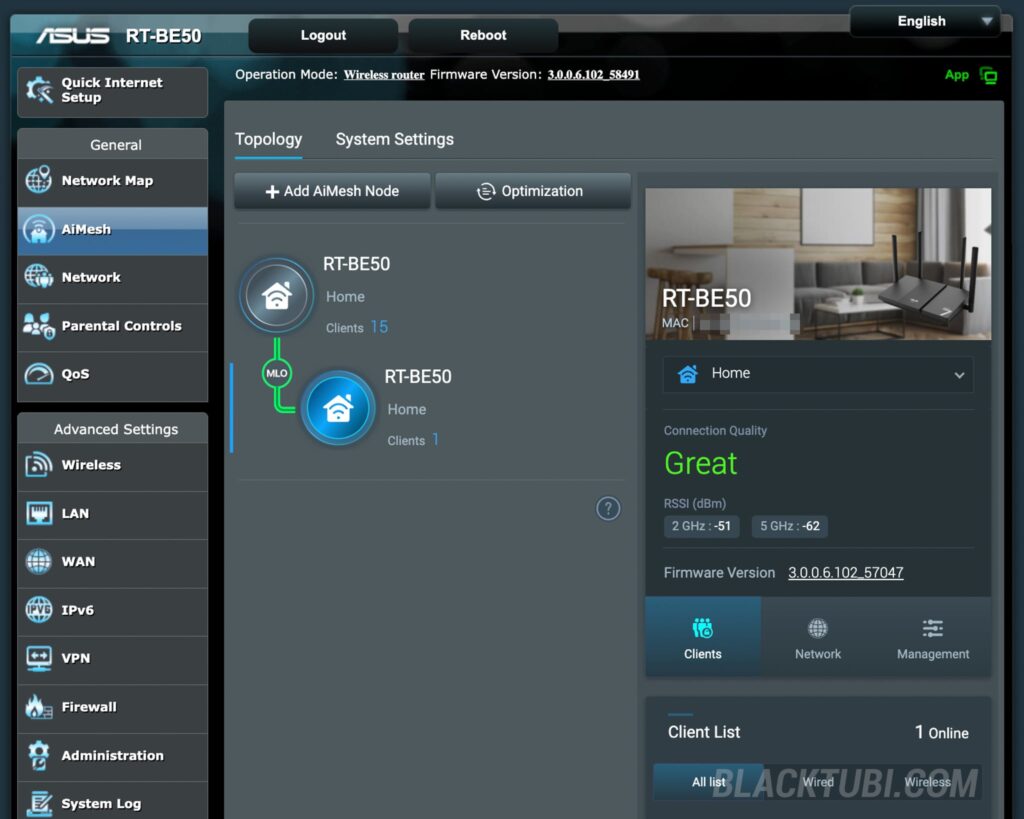
Since I tested this in a bigger property, I used 2 units of RT-BE50 with the second unit being fully wireless without any LAN cables with Wi-Fi 7 MLO technology. The performance of this setup was excellent. When connected to the second router, I could achieve speeds of around 300Mbps, which is even faster than many of the more expensive, pre-packaged Wi-Fi 7 systems available on the market today.
The mesh functionality on the RT-BE50 is also highly robust. While I have the option to use a wired Ethernet LAN backhaul to achieve maximum speeds, it’s not really needed. Additionally, the system allows you to bind specific client devices to a designated mesh node. This feature is particularly important for smart home gadgets such as Wi-Fi security cameras, as it prevents them from unnecessarily jumping between mesh points and experiencing connection drops.
ASUSWRT Firmware and Features
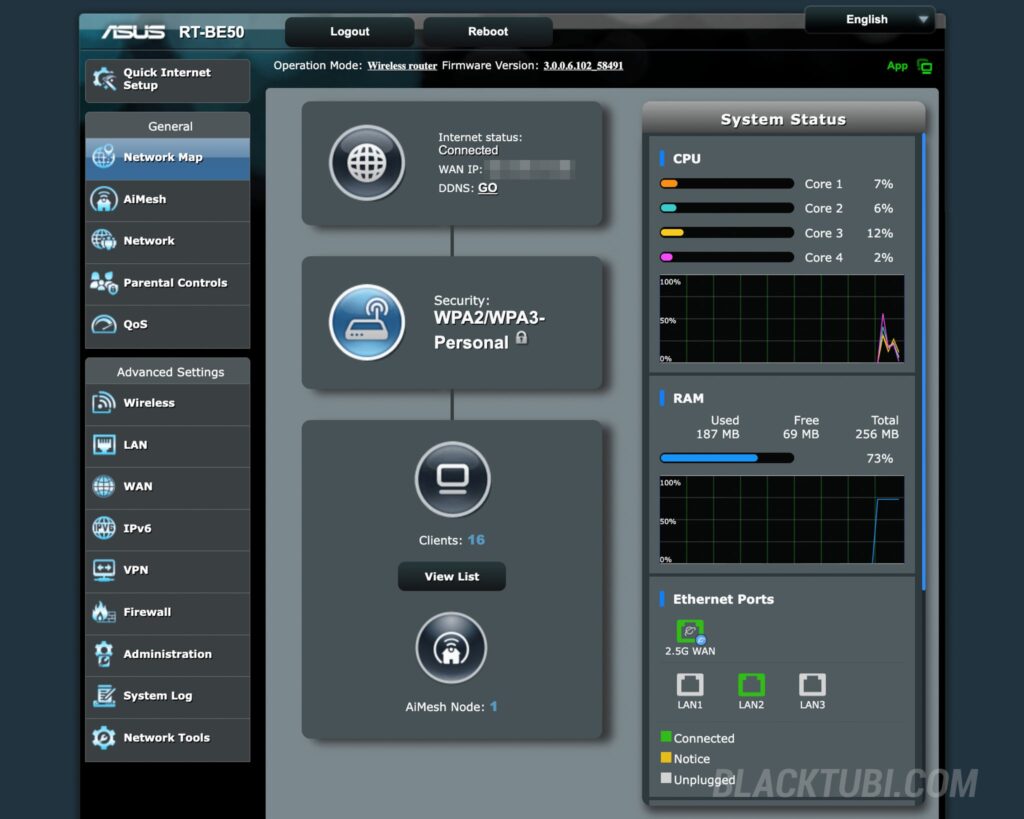
A common pitfall for budget-friendly routers is stripped-down software, but this is an area where the RT-BE50 excels. It runs the full-fledged ASUSWRT firmware, ensuring it receives the same frequent feature and security updates as other ASUS premium routers.
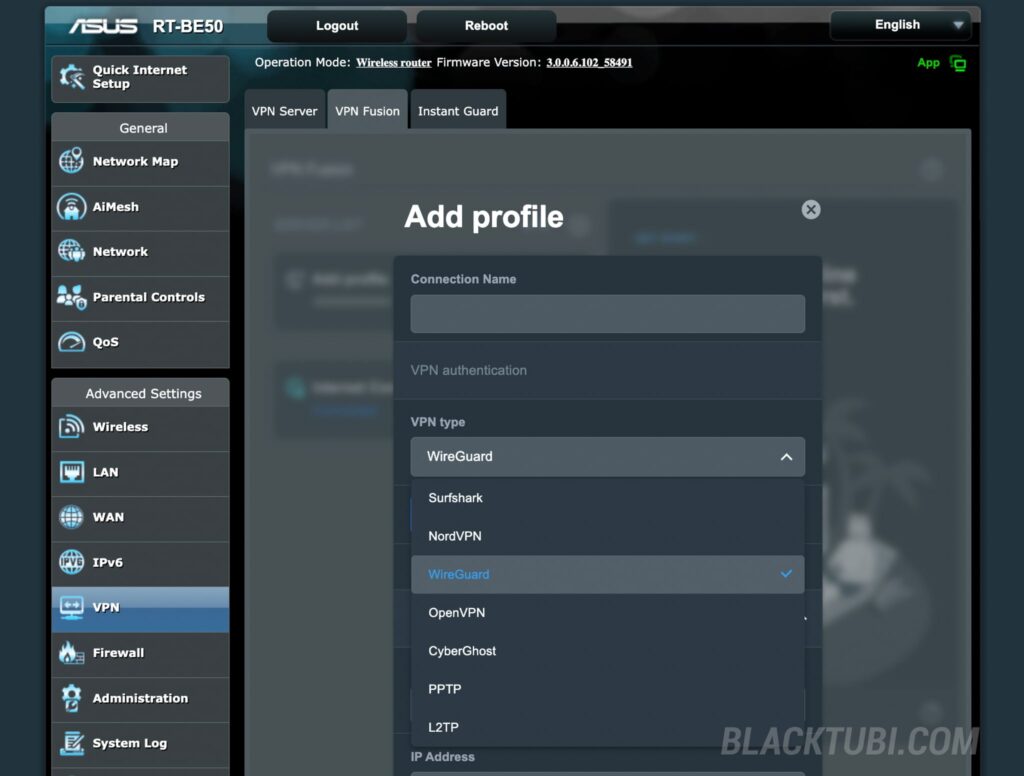
The user interface is packed with practical tools and advanced capabilities. For network security, the firmware offers native VPN support, utilizing modern protocols like WireGuard VPN while natively integrating premium services such as NordVPN, CyberGhost and Surfshark. This makes it incredibly simple to secure your entire home network directly from the router level.
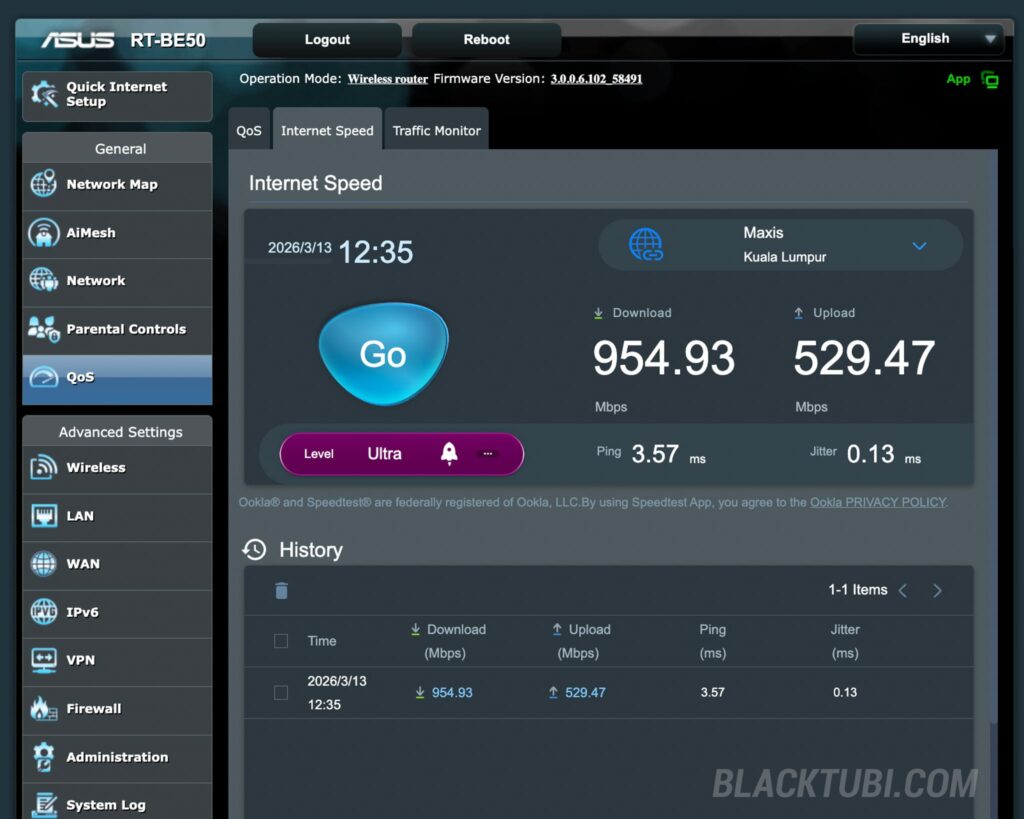
Additionally, a standout feature for integrated network diagnostics is the built-in Ookla Speedtest. This allows users to run performance benchmarks directly from the router’s dashboard, accurately diagnosing ISP connection speeds without the interference of client-side bottlenecks.
Closing Thoughts
While premium ASUS routers have grown increasingly complex with highly specialized gaming features and advanced networking tools, I really liked how simple and streamlined the RT-BE50 feels without sacrificing core functionality. It delivers decent speed improvements, reliable expandability, and a premium software experience that easily outclasses its budget competitors.
For users looking to future-proof their home network without breaking the bank, the RT-BE50 is an easy recommendation.


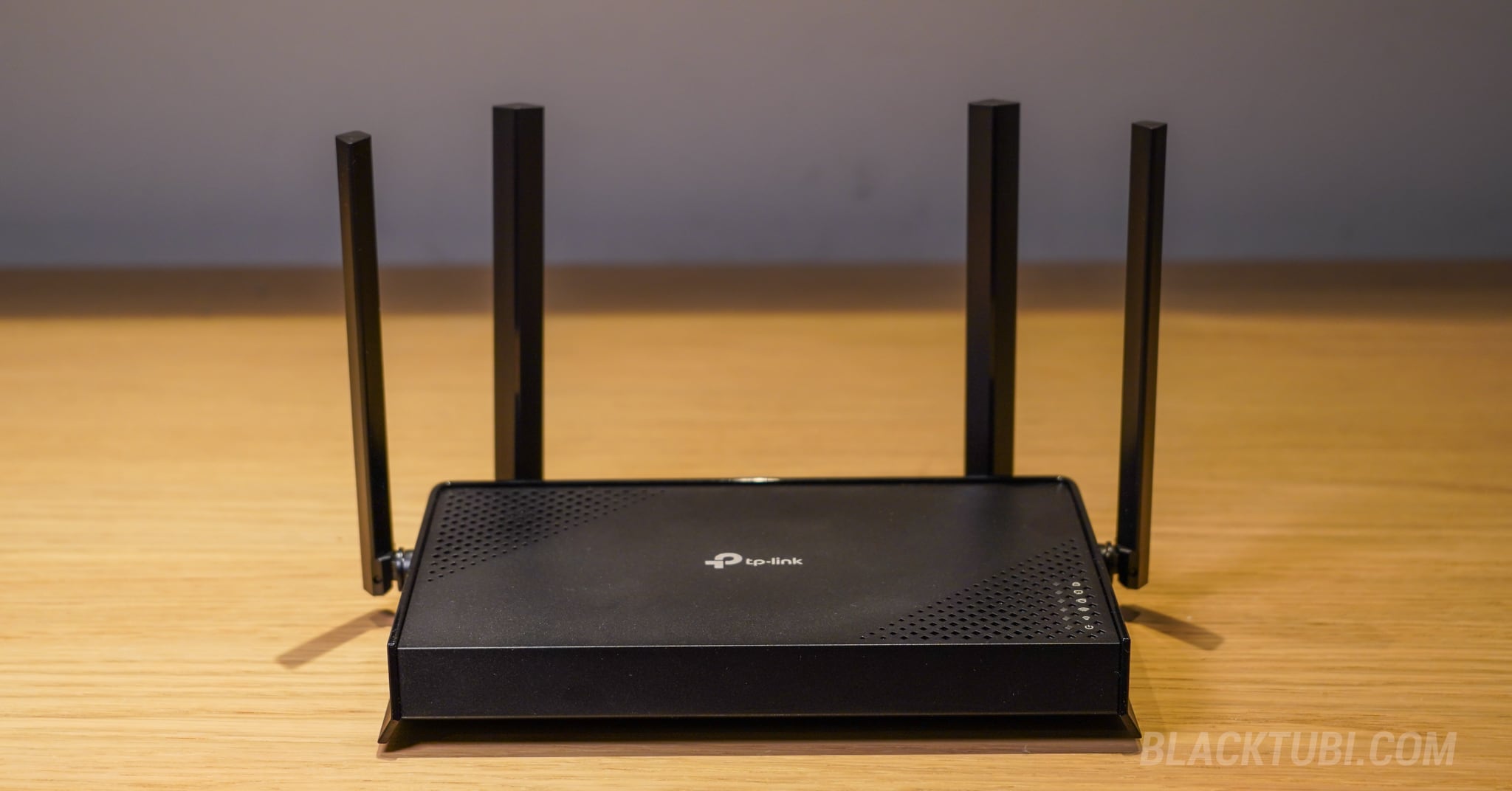
Which one should I get; Asus rt-be50 or mercusys MR27BE? Right now they are at the same price.
I would prefer the ASUS RT-BE50 given the better software update track record if the price is similar.
Which one should I get; Asus rt-be50 or TP-link Archer be220? Right now they are at the same price.
Get the cheapest one that you can get.
If lets say my home usage is only 300Mbps, like you said “Because it lacks a 2.5G LAN port, single wired client speeds are capped at 1Gbps. Therefore, this router is best suited for users on internet plans up to 1Gbps.” does that mean for most people, no reason for the 2.5G hype unless work purposes or doing some NAS backup ?
Yup, really no point to consider 2.5G unless you’re planning to get a 1Gbps or faster Internet plan in the future.
This is a good read, thanks for your recommendation