
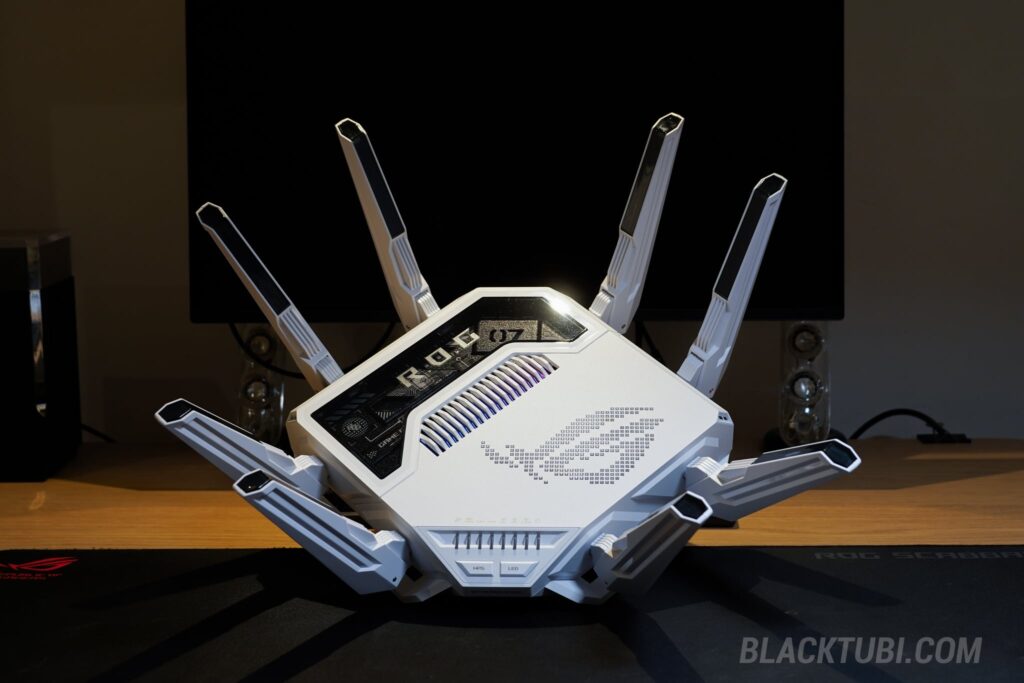
The all-new ASUS ROG Rapture GT-BE19000AI wants to completely redefine the humble home router. ASUS is aggressively pitching this behemoth as the world’s first “AI router.” But marketing hype aside: what exactly is an AI router, and more importantly, do you actually need AI running your Wi-Fi router?
ASUS’s answer is unsurprisingly brute-force: they crammed a secondary, dedicated “AI Core” chip right into the chassis. Paired with this AI-capable hardware is custom software designed to leverage that compute power, dynamically tweaking parameters to supposedly squeeze every ounce of performance out of your wireless network.
But the real killer feature? That AI Core can run Docker containers that can utilize the AI NPU. You can host instances of Frigate NVR, Home Assistant, Pi-hole, and more, directly on the router itself. This is genuinely revolutionary. It transforms a standard networking box into a centralized smart home server, vastly increasing its utility and impact.
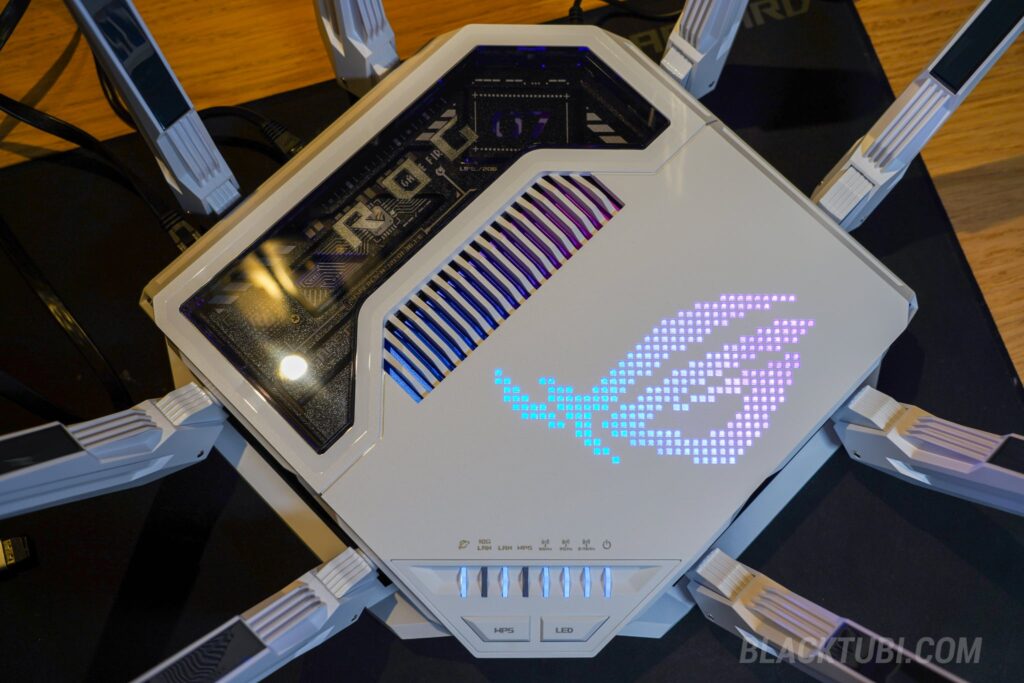
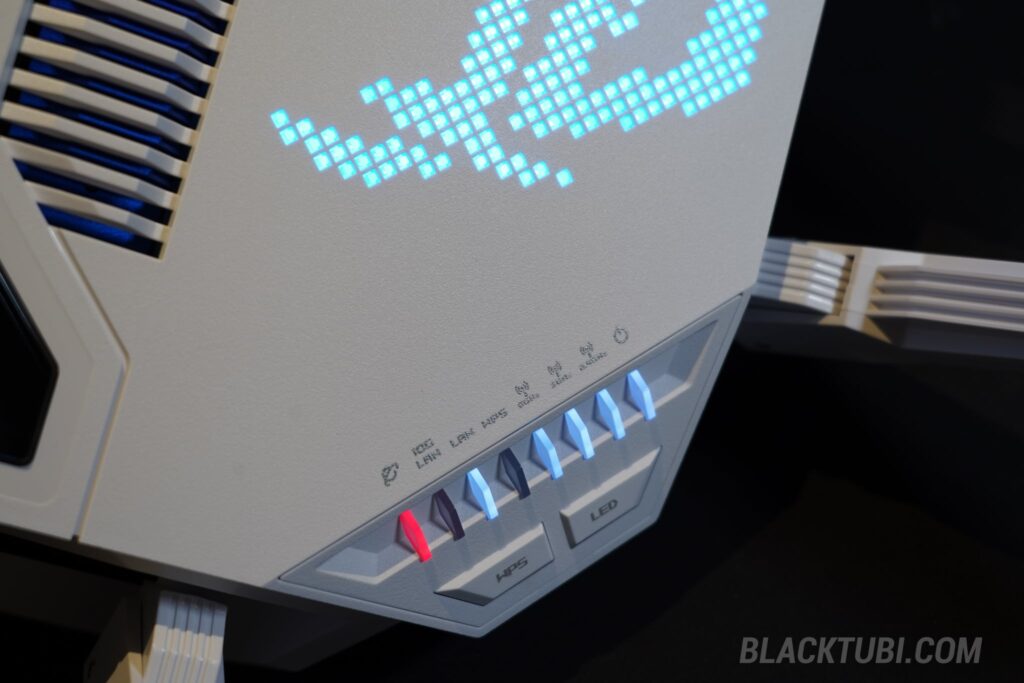
All this tech is housed in a familiar, aggressively “gamer” ROG design with eight massive antennas and a glowing RGB ROG eye logo. (Thankfully, you can customize or disable the light show in the software). If the chassis looks familiar, that’s because it’s physically identical to the older Wi-Fi 7 flagship, the ROG Rapture GT-BE98 but it’s wrapped in a sleek new matte white finish.
What genuinely surprised me is that this monstrous hardware is entirely passively cooled without any whining fans inside. ASUS repeatedly assured me it would survive the sweltering tropical heat of Malaysia, even under heavy load. Surprisingly, they were right. During my continuous stress tests, it didn’t throttle once, maintaining peak performance. I have to take ASUS at their word here.
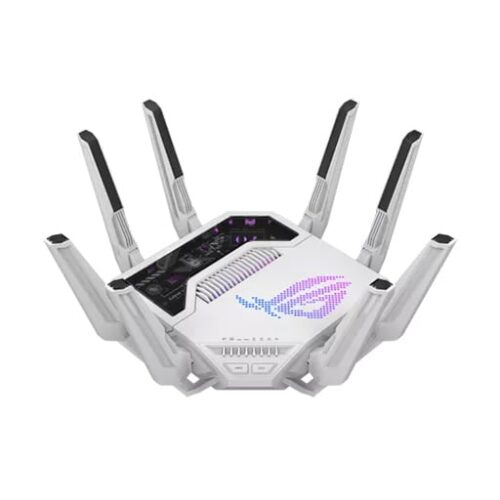
ASUS ROG Rapture GT-BE19000AI
9.5
Tubi Rating
pros
- Class-leading WiFi and routing performance
- Improved ASUSWRT interface over the predecessor
- Independent AI Core with dedicated CPU, RAM and storage
cons
- Significantly bigger and heavier than a normal router
- Only available in white color
GT-BE19000AI Hardware and Specs
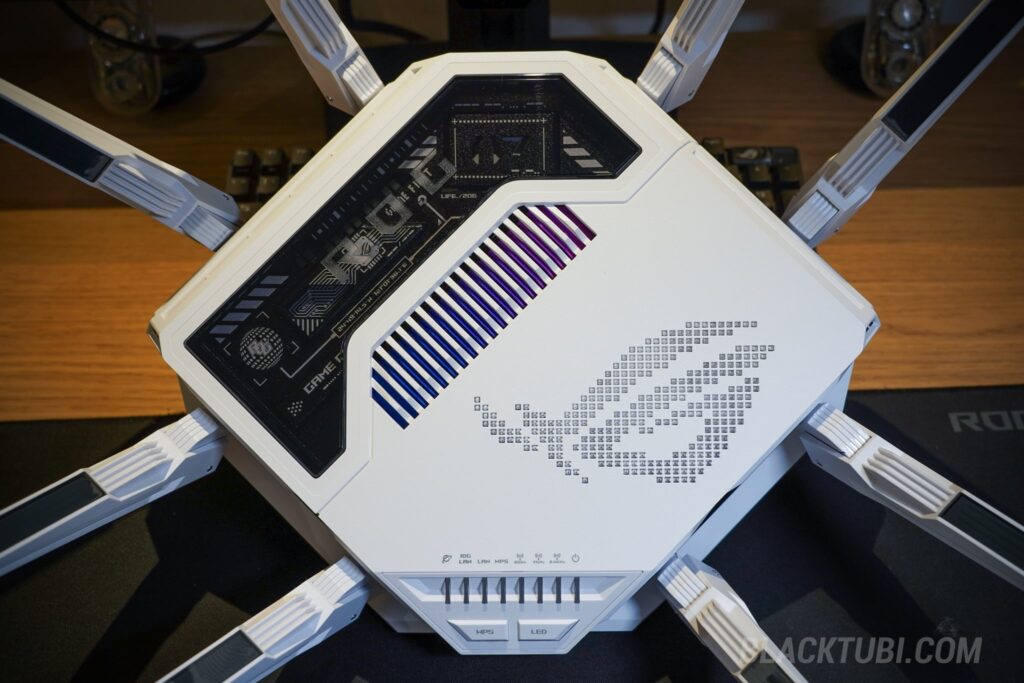
On paper, the ROG Rapture GT-BE19000AI is a total monster. Its primary networking duties are handled by a 2.6GHz Quad-Core Broadcom BCM4916 CPU paired with a staggering 4GB of RAM just for the router functions. Honestly, these specs put many commercial-grade small business routers to shame.
What genuinely surprised me is the inclusion of a massive 32GB of flash memory for the router. That is an absurd amount of storage just to run networking firmware, which begs the question: what exactly is ASUS keeping up its sleeve? ASUS has a solid track record of dropping massive software updates out of nowhere, sometimes rolling out entirely new, transformative features three years after a product hits the shelves.
But the real star of the show is that secondary processor. The dedicated AI Core is powered by a Synaptics SL1680 chip, featuring its own ARM-A73 based Quad-Core 2.1GHz CPU, 32GB of onboard storage, and another independent 4GB of dedicated RAM. It even packs a 7.9 TOPS NPU to accelerate local AI tasks directly on the device.
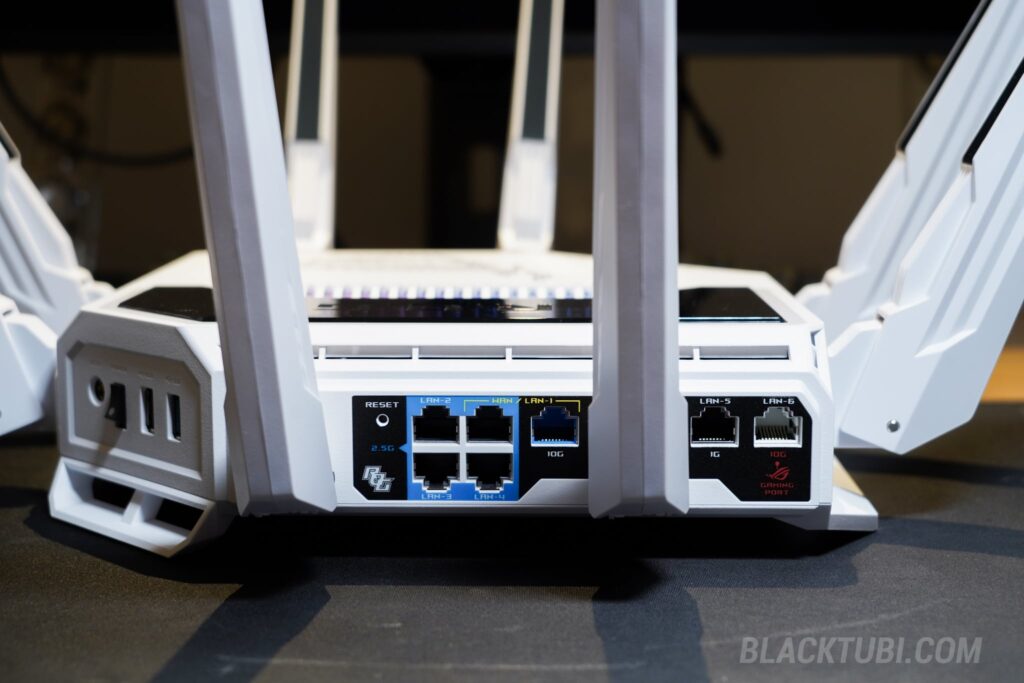
Moving to connectivity, the GT-BE19000AI doesn’t compromise. It features dual 10G ports, four 2.5G ports, and a single Gigabit LAN port with a total of six ethernet ports. It also includes two USB ports, which can be used for standard file sharing or, much more interestingly, as expanded storage for the AI Core’s Docker containers, which we’ll get to in a second.
Excellent Wi-Fi 7 Performance
Since this is, at its heart, a wireless router, let’s talk Wi-Fi. In short: the GT-BE19000AI is a wireless beast. While the ROG Rapture GT-BE98 offered a quad-band setup that was arguably overkill, ASUS wisely dialed the GT-BE19000AI back to a much more practical Wi-Fi 7 tri-band BE19000 configuration (2.4GHz, 5GHz, and 6GHz).
Starting with the 6GHz band, it is blisteringly fast at short distances. Because this is one of the newest Wi-Fi 7 models to hit the market, ASUS has clearly optimized the 6GHz performance. I was able to consistently hit speeds up to 3,692Mbps on the 6GHz network without breaking a sweat.
The range on that 6GHz band is genuinely the best I’ve ever tested on a wireless router. Unlike early Wi-Fi 6E devices that died the moment you walked behind a wall, this connection remains incredibly usable in adjacent rooms. While the 6GHz penetration here is a massive leap forward, you can’t beat physics as the 5GHz band still travels further.
This is where performance on the 5GHz network come into play. The 5GHz network is equally strong, delivering excellent, stable performance even when you move further away from the router. Again, this is easily one of the fastest wireless routers I’ve ever tested. Honestly, that’s to be expected given its status as the absolute newest flagship Wi-Fi 7 product on the market.
This performance delta makes you wonder: is the AI actually doing anything here? While the answers from our ASUS re[ was a bit vague, they claimed this is their first model to use an Algorithm to Intelligently detect and mitigate Wi-Fi interference. Marketing acronyms aside, the proof is in the pudding: the GT-BE19000AI flat-out outperforms the older GT-BE98.
Dedicated AI Core
So, what is the rest of that AI hardware actually doing? To understand ASUS’s strategy, look at history. Years ago, ROG practically invented the “gaming router” category with the ROG Rapture GT-AC2900. People laughed at the time, but ROG stuck with it and now dominates the segment. It feels like they are trying to run the exact same playbook here with the “AI router” by launching products first, establish market leadership and deliver more features in the future.
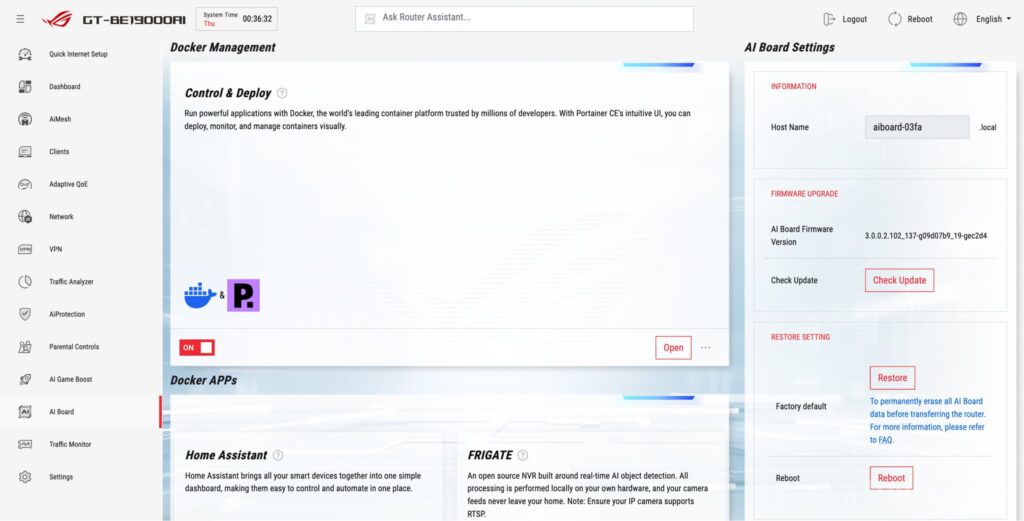
Because built-in AI features are currently a bit sparse, ASUS made the brilliant decision to let users install their own Docker containers on the AI Core via Portainer. Because it has its own isolated processor and RAM, running intensive Docker images won’t parasite any performance from your actual Wi-Fi network. This opens up near-limitless possibilities for homelab enthusiasts.
Let’s manage expectations for a second: this router isn’t going to run a mini LLM model for your local OpenClaw instance. Instead, ASUS is deploying that AI to quietly optimize your network in the background, actively smoothing out your connection. The additional compute power can then be used to run the Docker container of your choice.
For me, the ultimate use case is running Home Assistant and other self-hosted apps directly on the router rather than relying on external hardware. It drastically simplifies my home network setup and eliminates extra points of failure. Plus, the modern CPU inside the GT-BE19000AI is faster than a standard Raspberry Pi and it’s more power-efficient than repurposing an older PC.
Firmware and Features
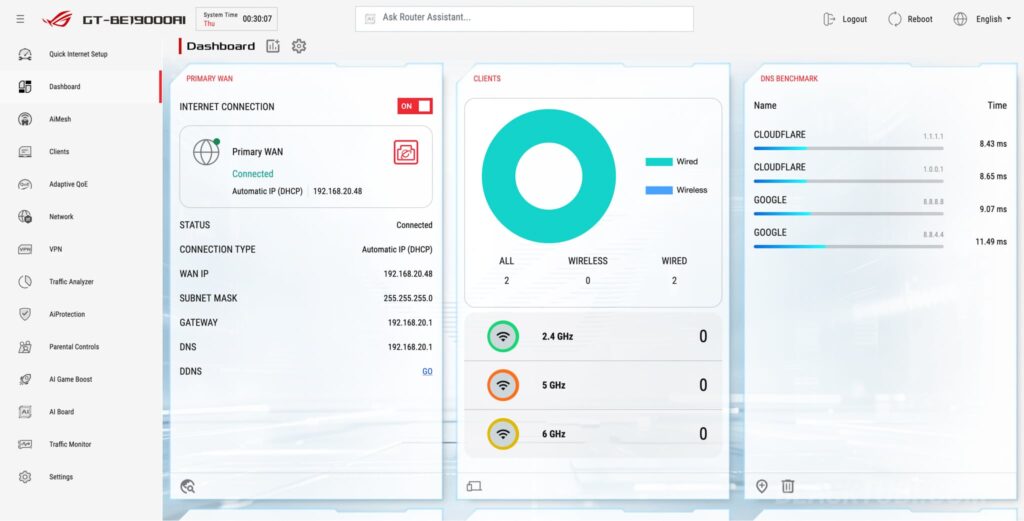
Quietly, and almost without fanfare, ASUS finally gave the ROG Rapture GT-BE19000AI the massive UI overhaul it desperately needed. The retro, 2010s-era ASUSWRT interface is gone, replaced by a sleek, modern dashboard that finally scales properly on wide-screen displays. It’s incredibly responsive, wildly intuitive, and honestly, just a massive relief to look at.
But don’t let the fresh coat of paint fool you; the underlying architecture is still the robust, deeply customizable ASUSWRT we know and love. In fact, the legendary third-party Merlin developer has already released a custom firmware for this exact model for the power users who want to tinker.
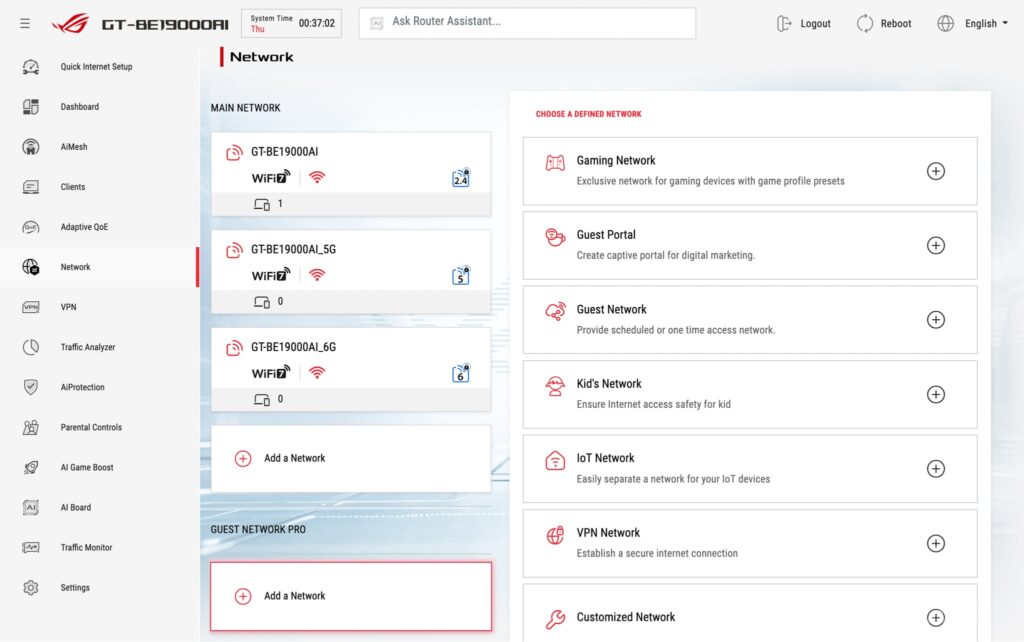
All the networking features survived the transition intact. Advanced tools like Guest Network Pro and VLAN network segregation are right where you left them. Surprisingly for a massive firmware overhaul, it feels remarkably bug-free out of the box. Everything just work like it’s supposed to and I’ve received 2 firmware updates throughout the period of 2 months.
Where the GT-BE19000AI really diverges from the pack is, predictably, the AI integration. While ASUS’s engineers were a bit vague, they claim that AI is used to enhance overall Wi-Fi stability and network performance. The shiny new feature here is the fancy AI Game Booster, which ASUS boldly claims will slash your latency by up to 34% on highly congested networks.
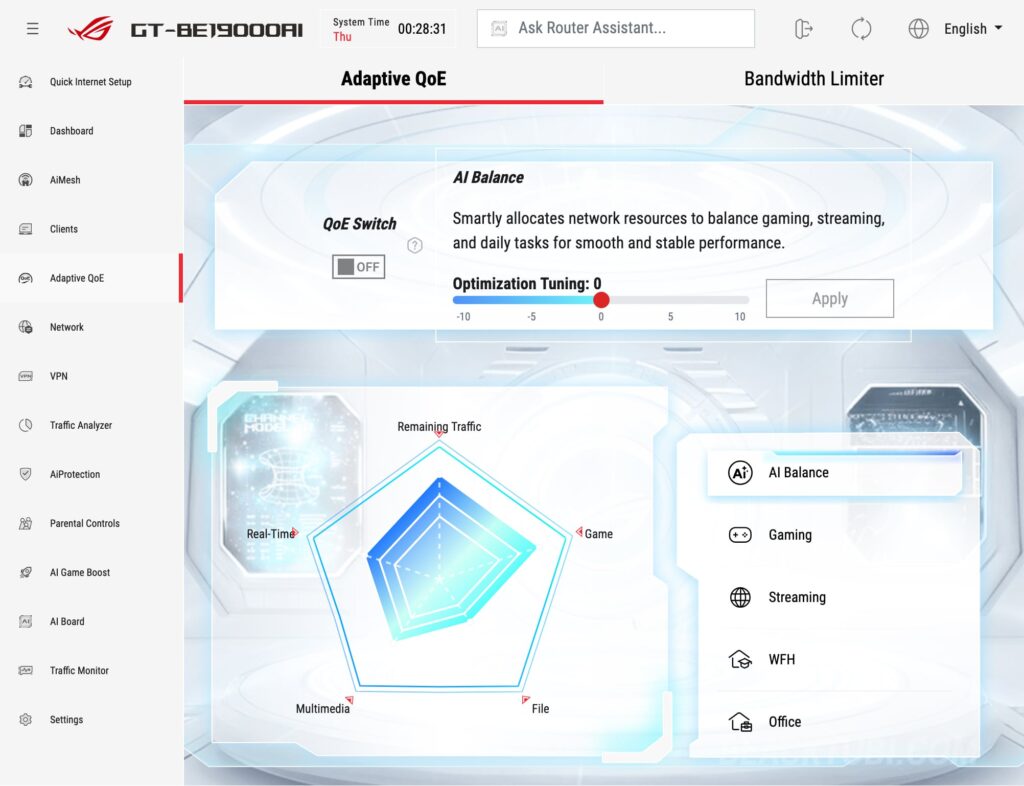
This is driven by an all-new Adaptive QoE engine. Unlike the older, Adaptive QoS, this new system uses a much smarter algorithm to actively recognize and prioritize traffic on the fly. It’s a dynamic, active measurement system with a constant feedback loop, rather than just a static list of rules.
By default, the router runs an “AI Balance” profile. It acts like a traffic police, dynamically slicing up your bandwidth pie to ensure rogue background downloads or greedy applications don’t choke the rest of the network. If you need it to be more specialized, you can customize it into profiles like the Gaming or Office modes to strictly prioritize those specific workloads.
I’m not a hardcore esports pro, but I do jump into Valorant occasionally, and the GT-BE19000AI is genuinely excellent at ironing out those infuriating, random ping spikes. That is a massive feat for my specific setup, considering I have over 100 connected devices consist of mostly cheap, noisy IoT gadgets infamous for causing messy broadcast storms. It’s tough to quantify exact millisecond gains, but over a month of testing, the network just felt smoother and far more resilient.
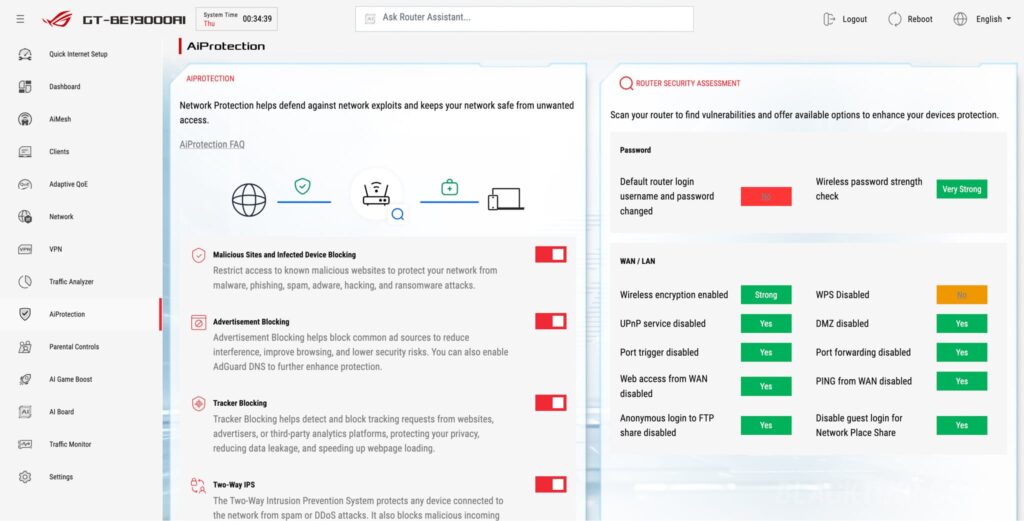
But here is the absolute best part: there are zero subscriptions. That advanced Adaptive QoE engine? Included. AiProtection Pro, with its enterprise-grade deep packet inspection and active firewall? Included for the lifetime of the device. In 2026, where practically every single router brand is trying to squeeze you for a monthly security fee, ASUS stands entirely alone.
All in all, the software is an A+ experience. It retains the deep controls enthusiasts demand, wraps it in a modern interface with genuinely transformative AI features. Crucially, ASUS refuses to force you into the cloud, keeping your data and network entirely local and self-hosted. In an era of shrinking privacy, that is a massive selling point.
Closing Thoughts
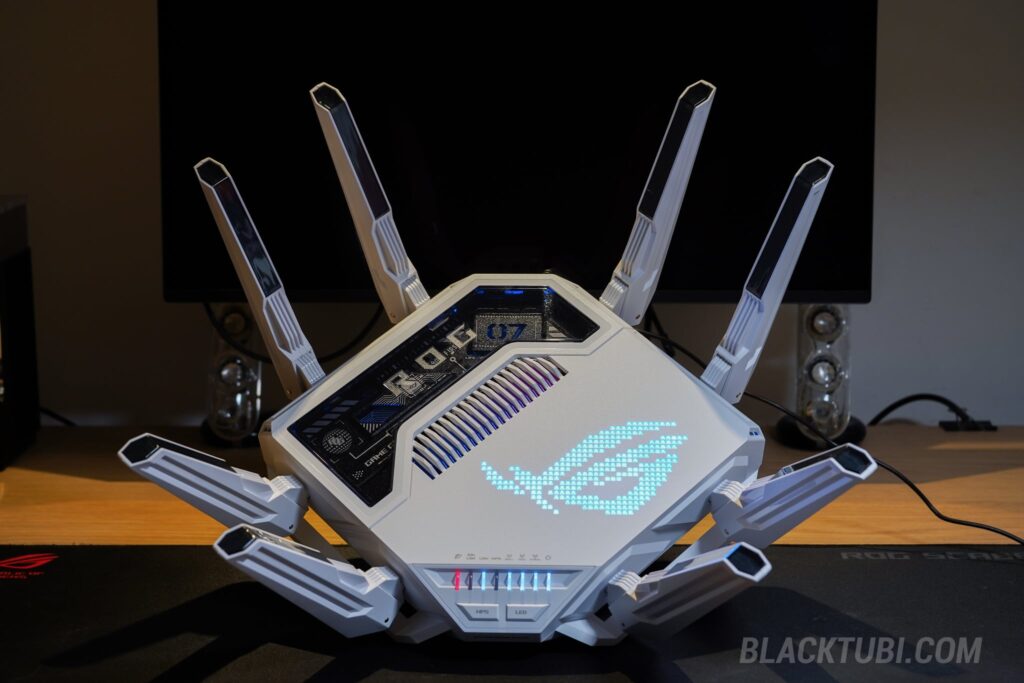
The ASUS ROG Rapture GT-BE19000AI is an over-engineered piece of technology and I kind of love it. It takes the bleeding-edge speeds of Wi-Fi 7 and bolts on an entirely separate AI computer that rewrites what a home router can actually do. The ability to run Docker containers natively transforms a boring router into a mini homelab server.
Yes, it’s undeniably a premium investment. But when you factor in the class-leading wireless performance, the sheer versatility of the dedicated AI Core, and the fact that ASUS absolutely refuses to charge you monthly subscription fees for its advanced security features, the math suddenly makes sense. The GT-BE19000AI is no longer just a router, it’s the absolute center of your digital home.
Edit: Factor in the absurd state of the 2026 RAM and NAND flash pricing surge, this router with a total of 8GB RAM and 64GB flash suddenly looks like a legitimate bargain.
These router with 8 antenna can cover 3 storey house
Ideally you should match it with a single unit of ZenWiFi BT10 to act as a mesh booster for upper floor. Just GT-BE19000AI + ZenWiFi BT10 single pack would be fine.