
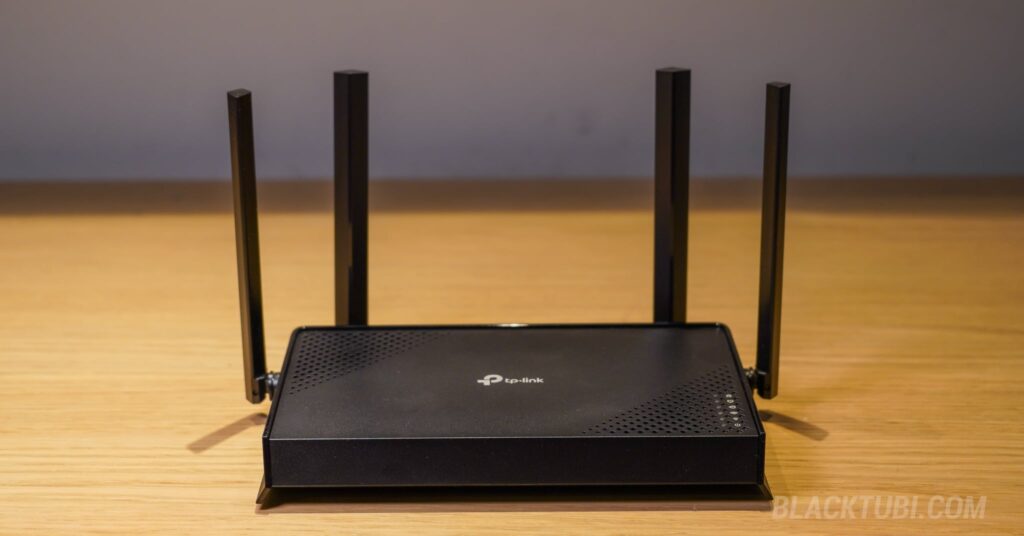
The TP-Link Archer BE220 currently stands as TP-Link’s most affordable entry into their Wi-Fi 7 router lineup. If you are looking to future-proof your home network without breaking the bank, this budget-friendly model is a very compelling starting point. Classified as a Wi-Fi 7 BE3600 router, the Archer BE220 delivers combined wireless speeds of up to 3.6 Gbps.
You might wonder if upgrading to Wi-Fi 7 is worth it right now, and the short answer is yes. Even if you are mostly using older Wi-Fi 6 devices, this newer architecture provides superior beamforming and routing efficiency, which translates to noticeably stronger signals and lower latency across all your existing devices.
Furthermore, with the Wi-Fi 7 ecosystem rapidly expanding. All the latest smartphones, tablets, and laptops are already shipping with the standard. By investing in a router like this, it ensures your network is future-proofed and ready for your next device upgrades.
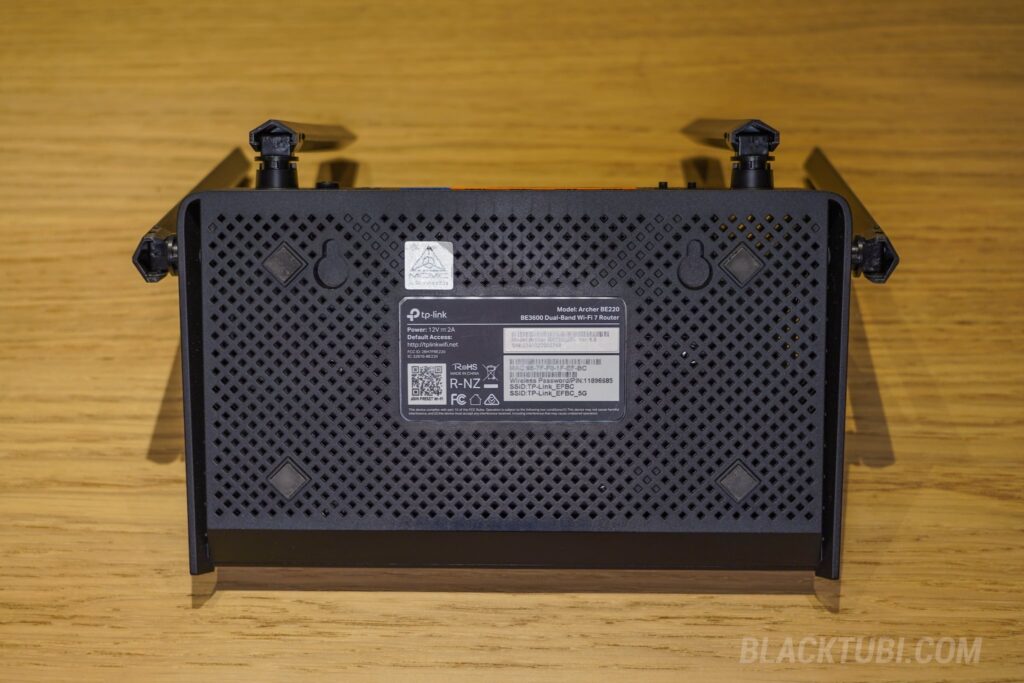
Aesthetically, the design of the Archer BE220 closely mimics the more expensive Archer BE230, and in fact, they share plenty of visual DNA. While the overall look is relatively simple, the build quality remains solid and practical, complete with convenient mounting holes for flexible placement. This would be great for those planning to wall-mount this wireless router.
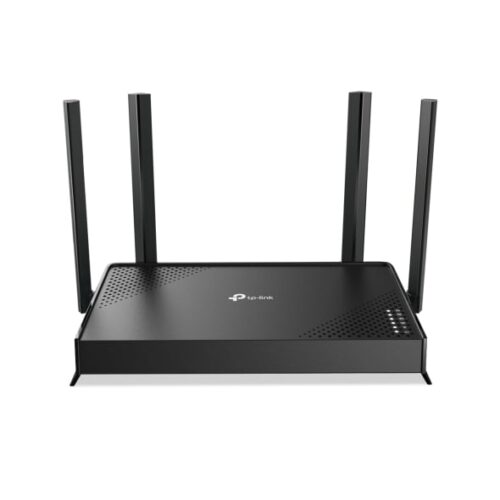
TP-Link Archer BE220
7.5
Tubi Rating
pros
- 512MB RAM included
- Affordable price
cons
- Does not come with 2.5G port
- Subscription needed to unlock all the security and parental control features
Archer BE220 Hardware and Specs
Internally, both the Archer BE220 and BE230 are powered by a similar Broadcom BCM6764 SoC, featuring a 2.0GHz Quad-Core ARM Cortex-A7 CPU. What truly surprises me is that the Archer BE220 comes equipped with 512MB of RAM which is generous for a wireless router in this price range.
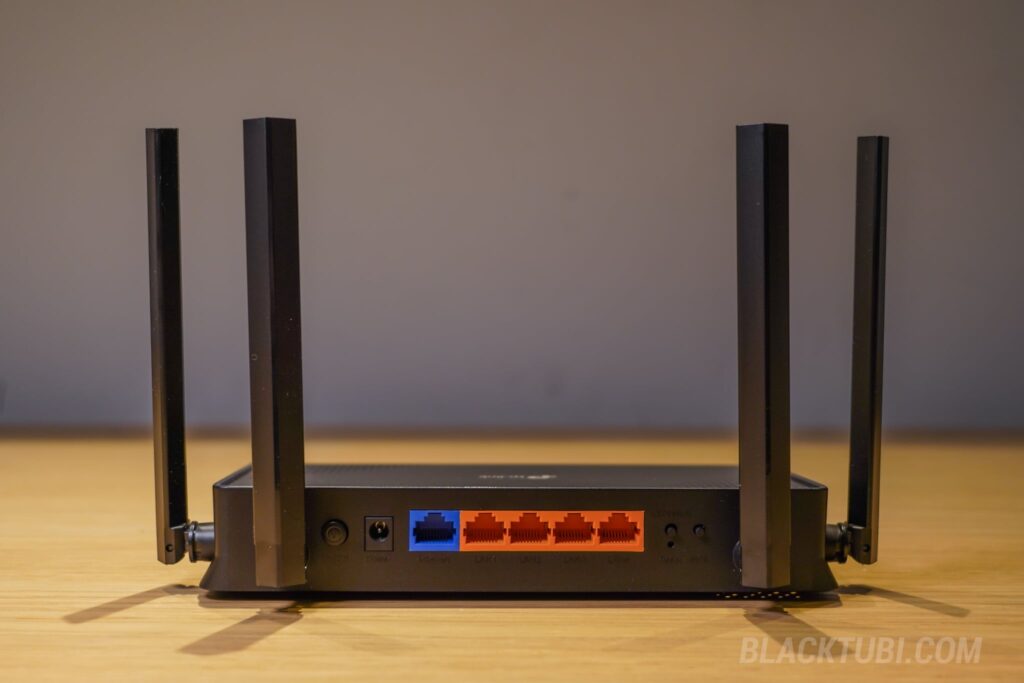
Moving on to connectivity, the Archer BE220 makes its main compromise by removing the 2.5G Ethernet and USB ports found on the BE230. This router is equipped only with Gigabit Ethernet ports, meaning it can only support internet speeds up to 1Gbps, even though its Wi-Fi 7 capabilities can technically handle much faster wireless data rates.
Archer BE220 WiFi Performance Test
Despite the port limitation, the real-world Wi-Fi performance of the Archer BE220 is fine, especially if you’re upgrading from an older Wi-Fi 6 router like the Archer AX20 or AX50. You will instantly notice an improvement in signal coverage, which benefits even your older wireless devices.
During my short-range tests, the speed of the Archer BE220 topped out at 942Mbps. While TP-Link claims the router can support up to 3.6Gbps, it’s effectively limited by its Gigabit Ethernet WAN and LAN ports. Therefore, this router isn’t the best fit if you subscribe to multi-gigabit internet plans.
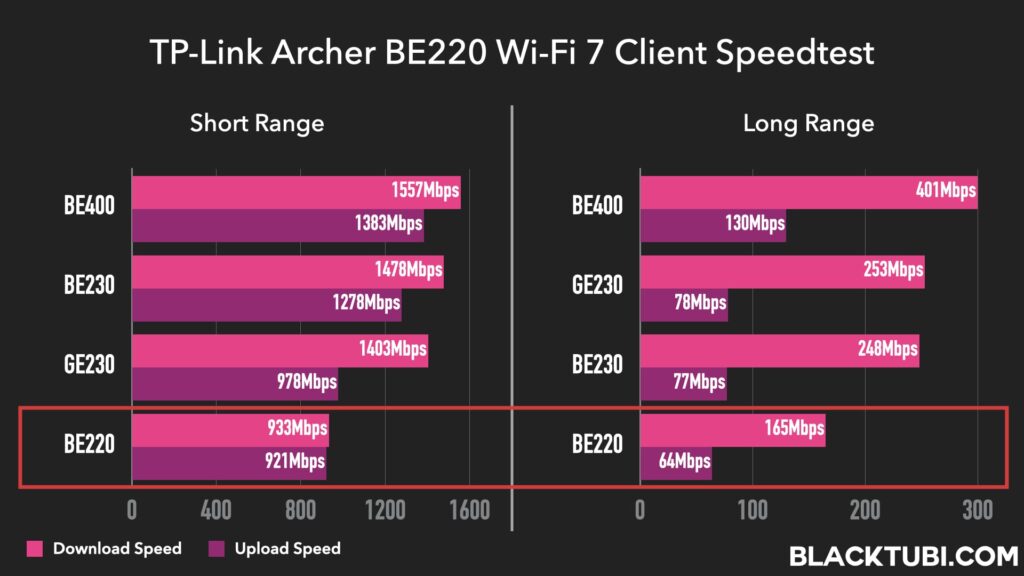
Moving on to the long range test, the Archer BE220 lags behind, delivering just a mediocre 165Mbps after just 2 walls. While it has the exact same CPU like the Archer BE230, it seems that the Archer BE220 performs slightly slower reality.
It’s worth noting that the Archer BE220 is still an entry-level product and it’s not going to deliver mind-blowingly good coverage or performance. If you’re looking for something with a little more performance, you should definitely consider something with better specifications such as TP-Link’s own Archer BE400 instead.
EasyMesh Support
The Archer BE220 supports the EasyMesh standard so you can wirelessly link it with other compatible routers to create a single, seamless Wi-Fi network. Unlike traditional extenders, EasyMesh uses one network name, allowing your devices to automatically roam to the strongest signal as you move around the house without dropping the connection.
The setup is really simple on the TP-Link Tether App as well. With the EasyMesh mode, the Archer BE220 can form a reliable wireless link with other EasyMesh routers without Ethernet cables needed. You can pair them in minutes using the TP-Link Tether app or the WPS button. However, it’s not as fast or robust as a proper mesh Wi-Fi sytem such as TP-Link’s own Deco BE85.
That’s probably one of the greatest thing about this model as well. With the affordable price and lack of 2.5G ports, it might not be suitable to be used as a main router. However, it’s perfect when used as a mesh node especially when paired with other high-performance TP-Link Wi-Fi 7 routers.
Snappy Firmware and Features
TP-Link’s firmware has become incredibly pleasant to navigate with a polished TP-Link Tether companion app. The app lets you to view connected devices and limit internet access for specific users easily. Because the router links directly to the TP-Link cloud, the app remains exceptionally responsive, even when you’re out and about using a 5G mobile data connection.
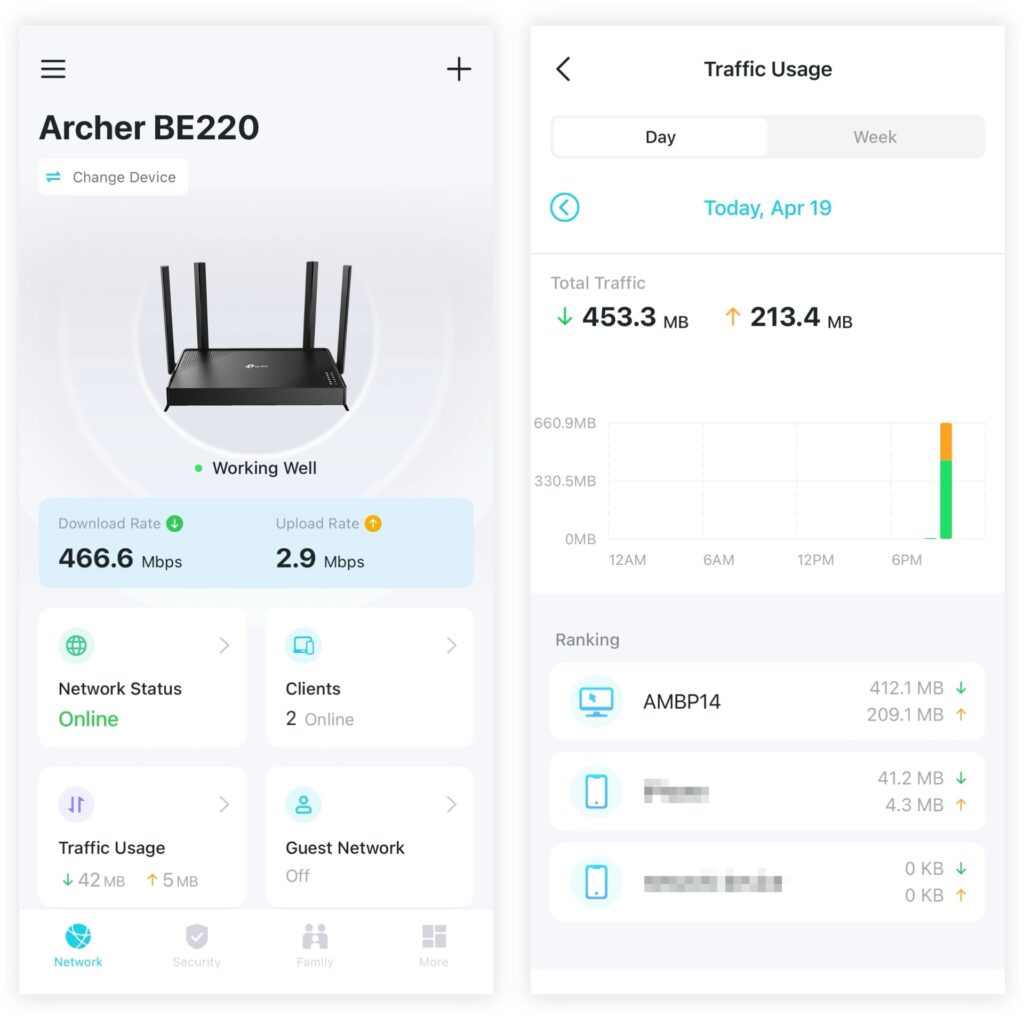
That’s mainly due to the high performance Quad-Core CPU used on the Archer BE220 in combination with the ample amount of RAM included. The router is fully capable of handling busier networks with that configuration. The router is also very good at thermal management as it only gets slighly warm during operation and being slightly cooler than an Archer AX55 with Wi-Fi 6 AX3000.
However, it’s impossible to ignore the aggressive push for TP-Link’s premium HomeShield service. HomeShield offers advanced parental controls and enhanced network firewall features, but it is locked behind a monthly subscription. As you navigate the Tether app, you will find it constantly trying to upsell you on this paid tier, which can honestly get a little annoying.
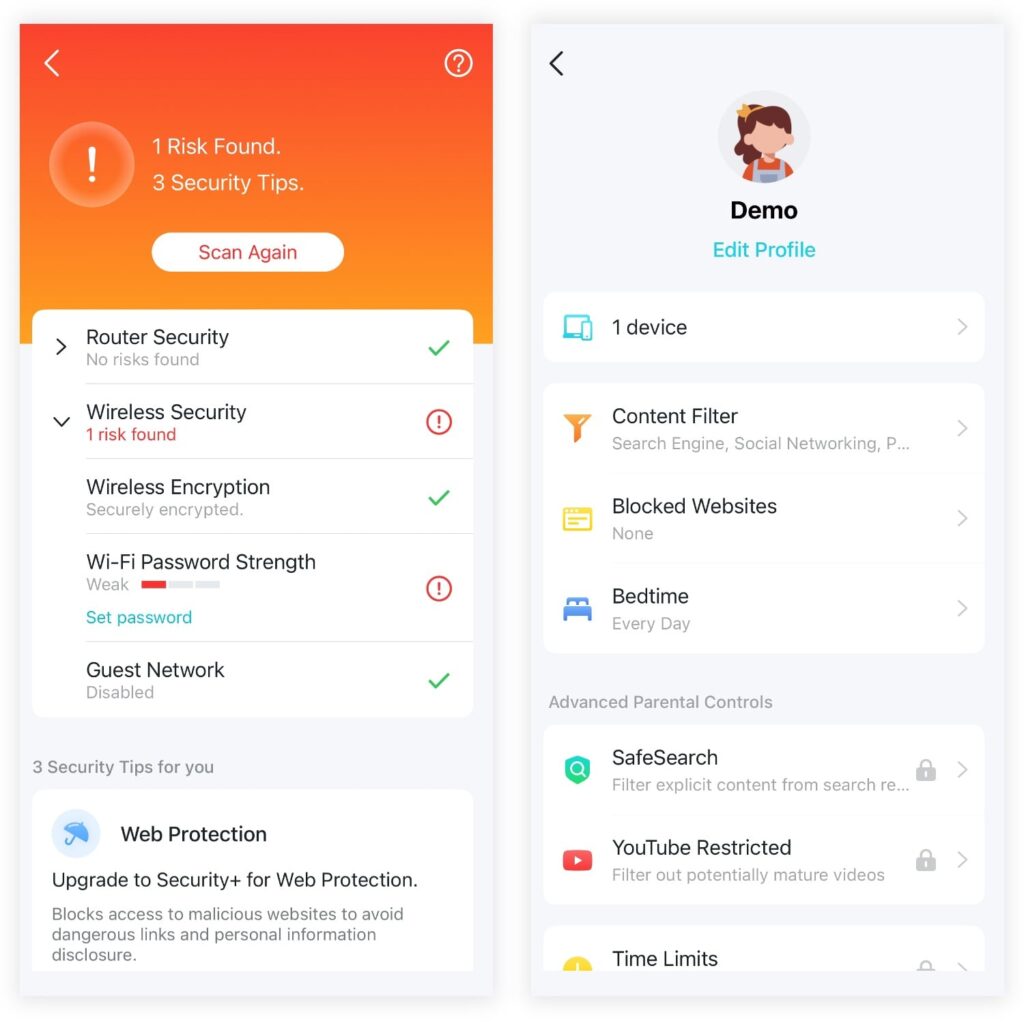
That being said, if you do decide to buy into the subscription, HomeShield is undeniably powerful. The premium tier provides incredibly detailed reporting on your network’s daily internet usage, allowing you to monitor data usage trends, track online time, and even see the top browsed websites for individual devices.
Additionally, the paid HomeShield offers robust, advanced security via an active firewall that automatically intercepts and blocks malicious websites containing malware and viruses before they can ever reach your devices. That said, it is totally fine with the basic free HomeShield tier as most modern browsers are already really good at detecting and blocking threats.
Closing Thoughts
Ultimately, the TP-Link Archer BE220 is a great choice if you’re looking for a basic, no-frills Wi-Fi 7 router. It delivers decent performance, and getting 512MB of RAM at this price point is an undeniable steal with the rising RAM prices these days.
While your maximum wired speed is physically limited to 942Mbps, the performance matches the Archer BE230 on long-range scenario. Hence, if you do not plan on upgrading to a multi-gigabit internet plan in the near future, the Archer BE220 is an ideal, budget-friendly upgrade.
BE230 or Archer AX53?
BE230 would be a better product
What about the BE230 Vs the AX72 Pro. They’re currently the same price in my country. Would love your feedback please!
I will get the Archer AX72 Pro instead if they are the same pric .