
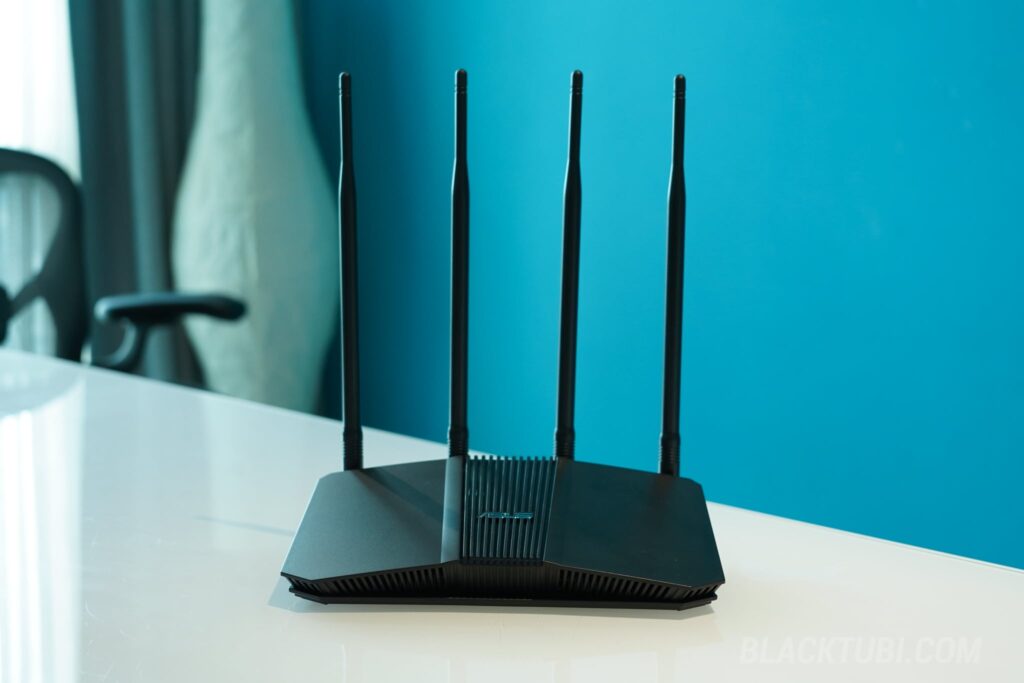
ASUS has been aggressively expanding their Wi-Fi 7 lineup in 2026, with options ranging from the ultra-affordable RT-BE50 to the beast-mode ROG Rapture GT-BE19000AI . The RT-BE3600HP slots into an interesting middle ground as it’s still a Wi-Fi 7 BE3600 class dual-band router, but the “HP” in the name stands for High Power, and that distinction matters more than you’d think.
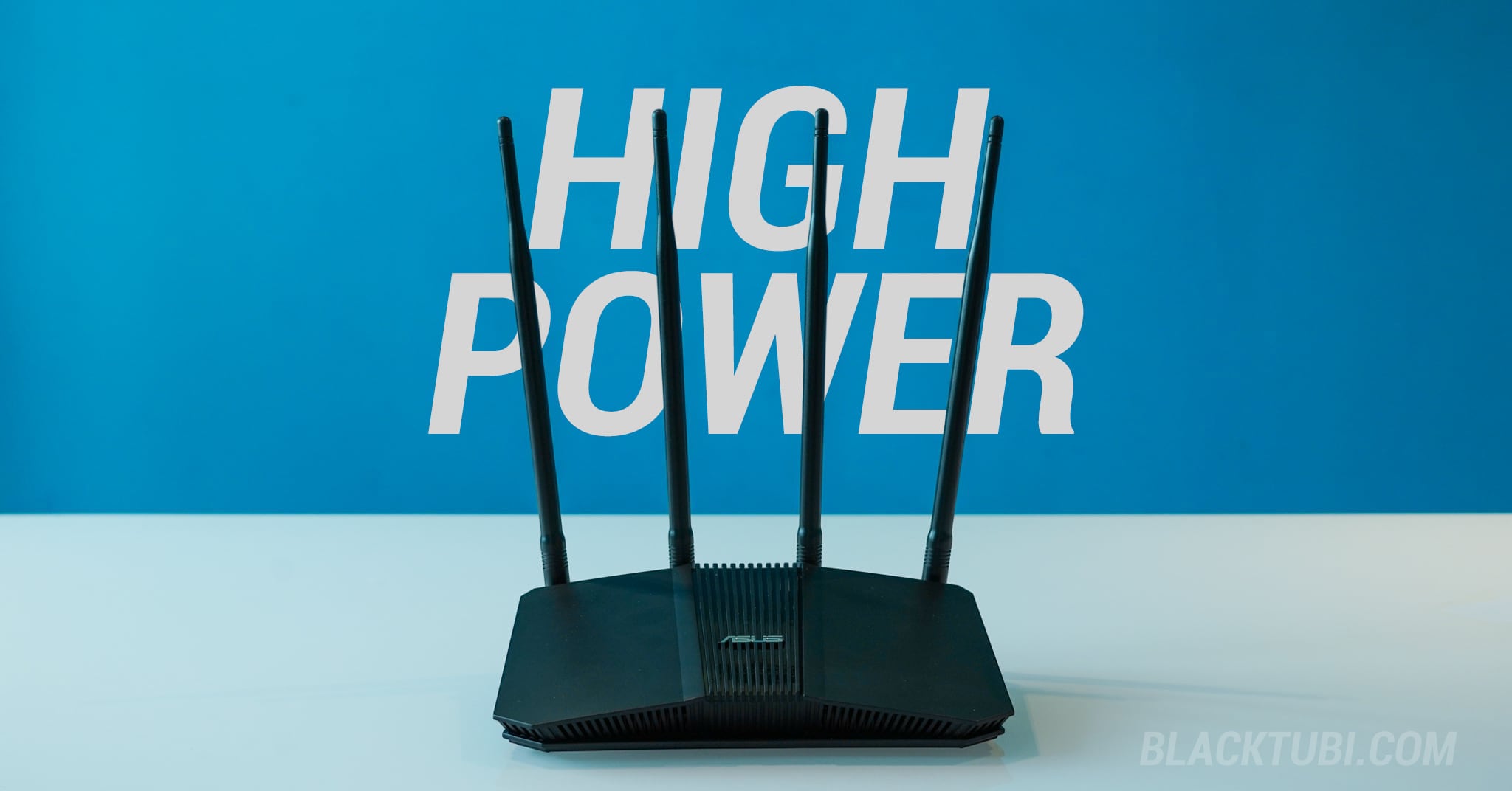
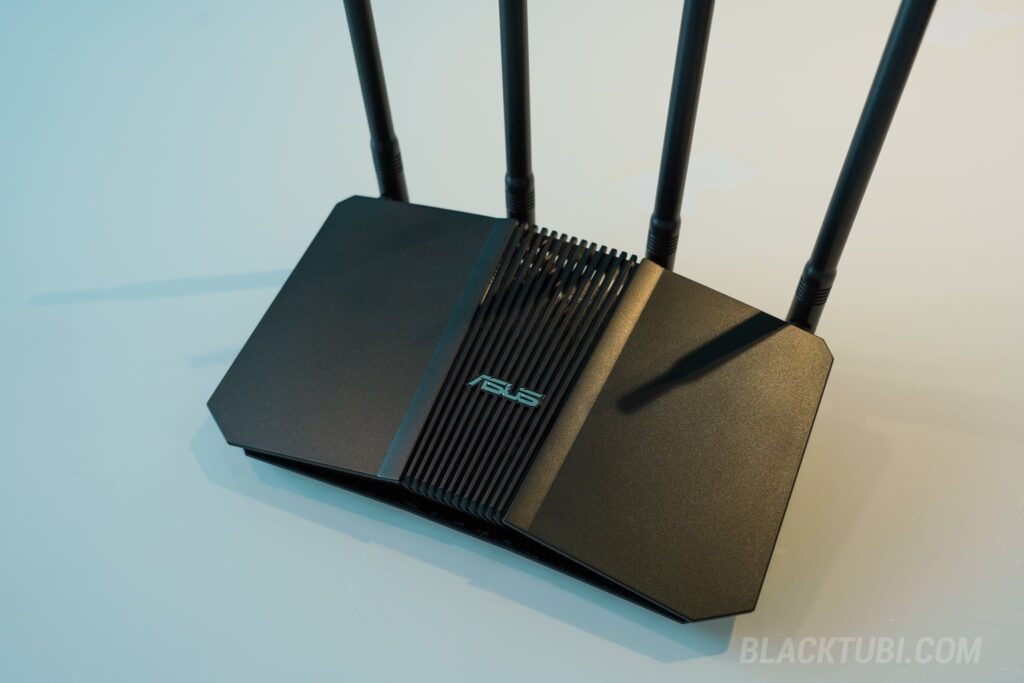
In terms of design, the RT-BE3600HP follows the standard ASUS aesthetic with a matte black finish and four external antennas. It’s a traditional-looking router, nothing flashy. Build quality is decent for the price. The unit feels solid in the hand and the antennas are well-attached without any wobble, which is always a good sign on routers in this segment.
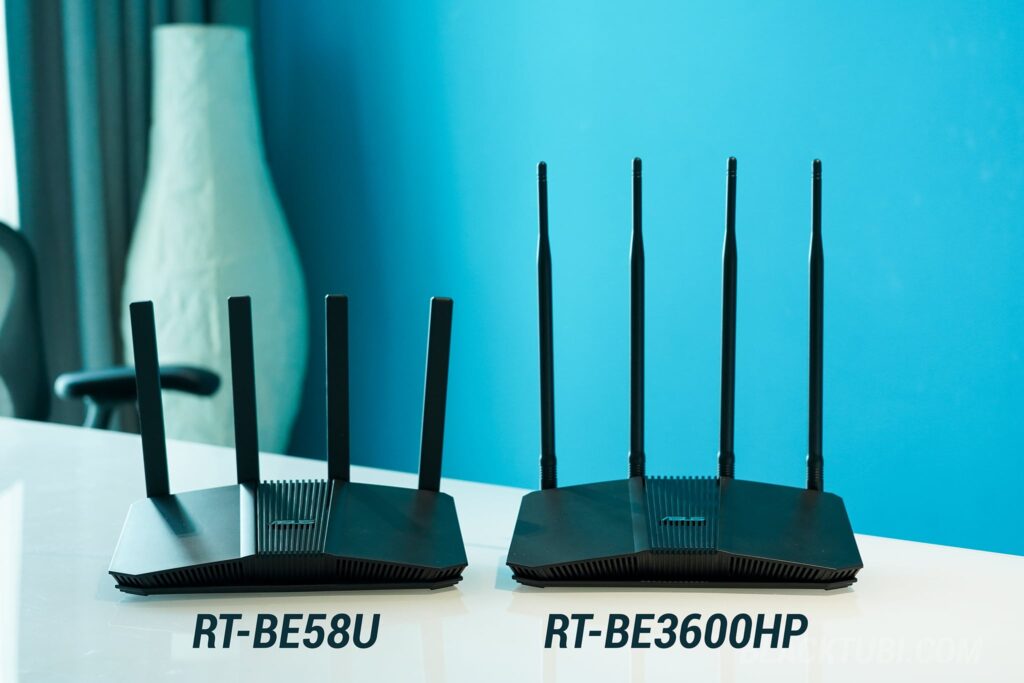
Interestingly, ASUS has reused the same chassis from the RT-BE58U and RT-BE82U for the RT-BE3600HP. The only difference is the antennas as the RT-BE3600HP comes with 4 high-gain external antennas that are much longer than usual. It’s a practical design choice from ASUS to keep costs down, and honestly there’s nothing wrong with it since the chassis is already well-designed with good ventilation.
Speaking of ventilation, I’m glad to share that the RT-BE3600HP runs surprisingly cool. During our testing, the router barely produced any noticeable heat even after extended use. This is likely thanks to the modern and efficient Broadcom SoC, which doesn’t generate as much heat as older generation chipsets. It’s a nice contrast to some cheaper routers that could get quite warm under load. A cooler running router generally means better long-term reliability, so this is a good sign.
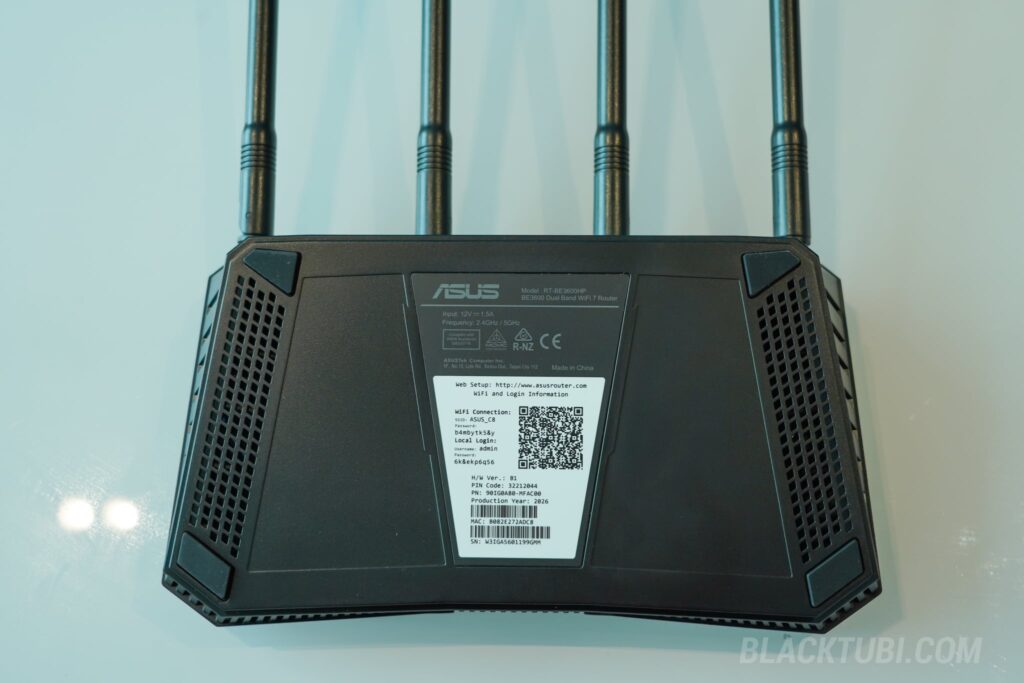
However, one thing that did bug me is the lack of wall-mounting holes on the bottom panel. The RT-BE50, despite being a cheaper model, actually includes wall-mount holes. The absence of wall-mounting holes feels like an oversight. You’ll either need to keep it on a flat surface or put it on an IKEA wall shelf if you wish to have this attached on the wall.
ASUS RT-BE3600HP Specifications
Under the hood, the RT-BE3600HP is powered by the same Broadcom 2.0 GHz Quad-Core CPU found in RT-BE58U. This is actually a pleasant surprise as ASUS didn’t cheap out on the processor despite this being a more budget-oriented model. Paired with 512MB of RAM, which is a noticeable upgrade from the RT-BE50‘s 256MB, the RT-BE3600HP should have no issues handling a typical household’s worth of devices without breaking a sweat.
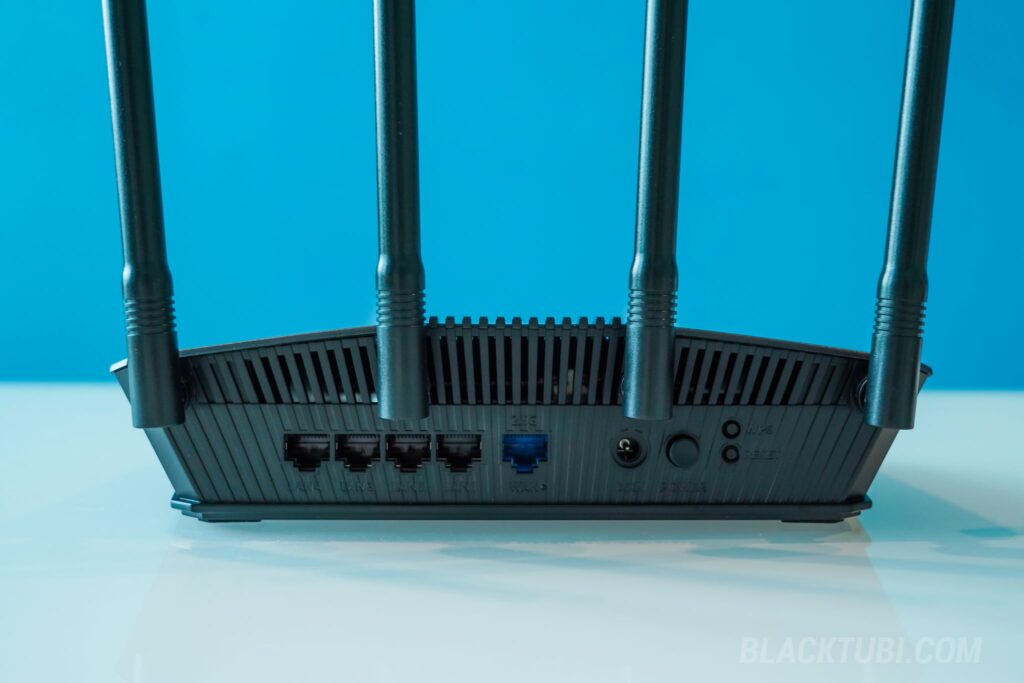
For connectivity, you get a single 2.5G WAN port along with four Gigabit Ethernet LAN ports. That’s one more LAN port compared to the RT-BE50, which is a welcome addition. However, like the RT-BE50, the lack of a 2.5G LAN port means wired client speeds are still capped at 1Gbps. This router is best suited for users on internet plans up to 1Gbps.
One thing to note is that the RT-BE3600HP does not include a USB port. This means you won’t be able to use features like USB drive file sharing or USB mobile tethering. If those features are important to you, you may want to look at the RT-BE58U instead.
ASUS RT-BE3600HP Wi-Fi Test
To evaluate real-world Wi-Fi performance, we compared the RT-BE3600HP against several other ASUS routers across short range and long range scenarios on both the 5GHz and 2.4GHz bands.
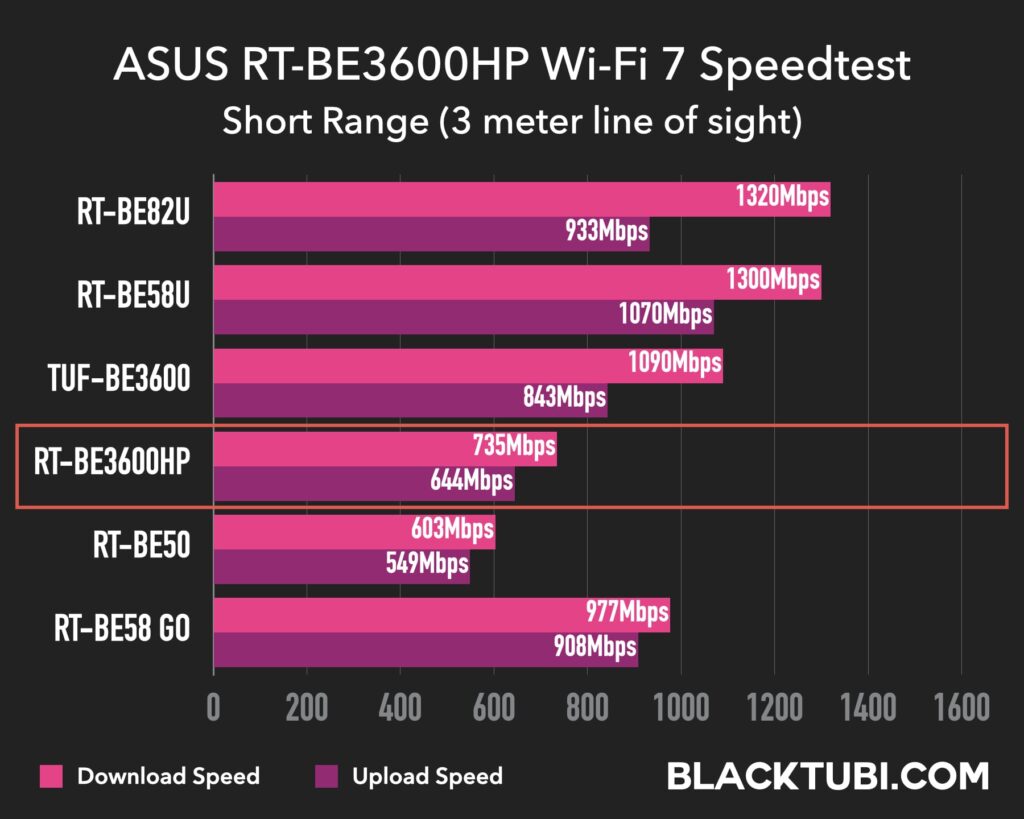
At short range on the 5GHz band, the RT-BE3600HP is faster than the RT-BE50 but noticeably slower than the TUF-BE3600 and the RT-BE58U which both crossed the 1Gbps mark at close range. It’s worth mentioning that our speedtest server is hosted locally on the LAN, so the short range results on the RT-BE3600HP are also limited by the Gigabit LAN port.
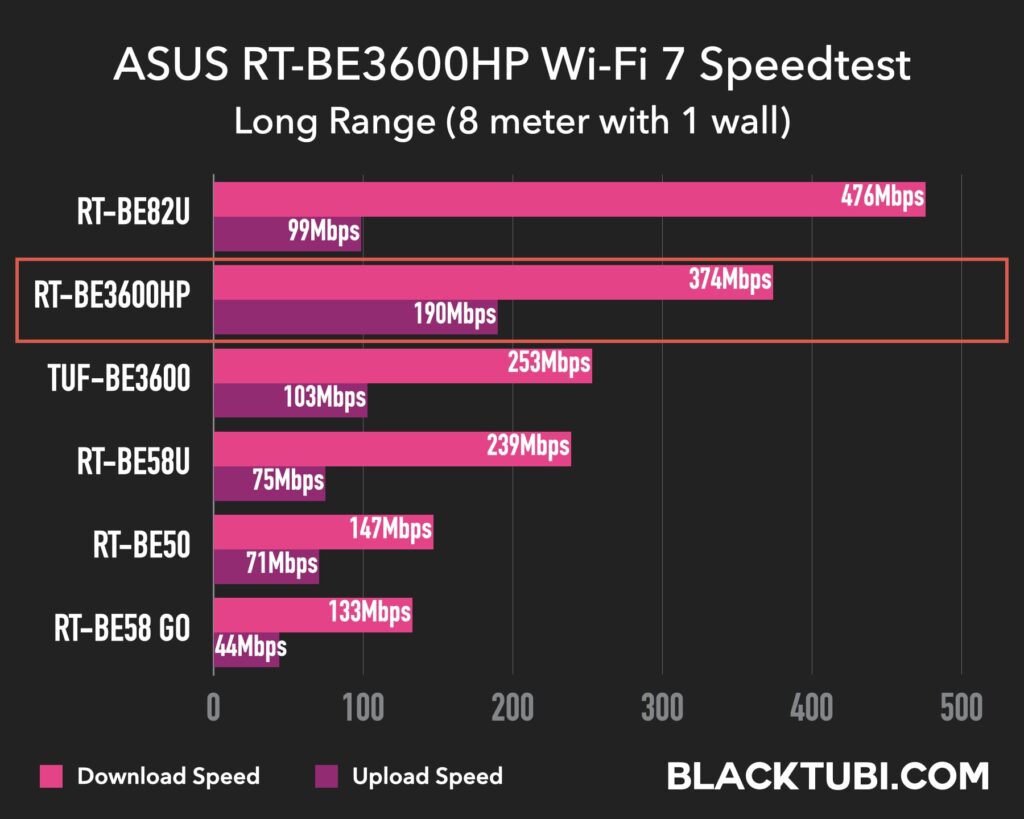
But long range is where the high-power FEM really shows its worth, and this is the entire reason this router exists. At long range on the 5GHz band, the RT-BE3600HP delivered more than double the speeds of the RT-BE50, and significantly outperformed even the RT-BE58U. In fact, the RT-BE3600HP posted the highest long range upload speed among all ASUS Wi-Fi 7 BE3600 routers we tested. Only the RT-BE82U, which is a much more premium model, managed to beat it on long range download.
The takeaway is clear. If you live in a medium to large-sized home and Wi-Fi coverage is your main concern, the RT-BE3600HP delivers where it matters most. You’re trading some peak close-range speed for dramatically better long range performance, and that’s a trade-off that makes a lot of sense for most real-world home usage.
ASUS RT-BE3600HP AiMesh
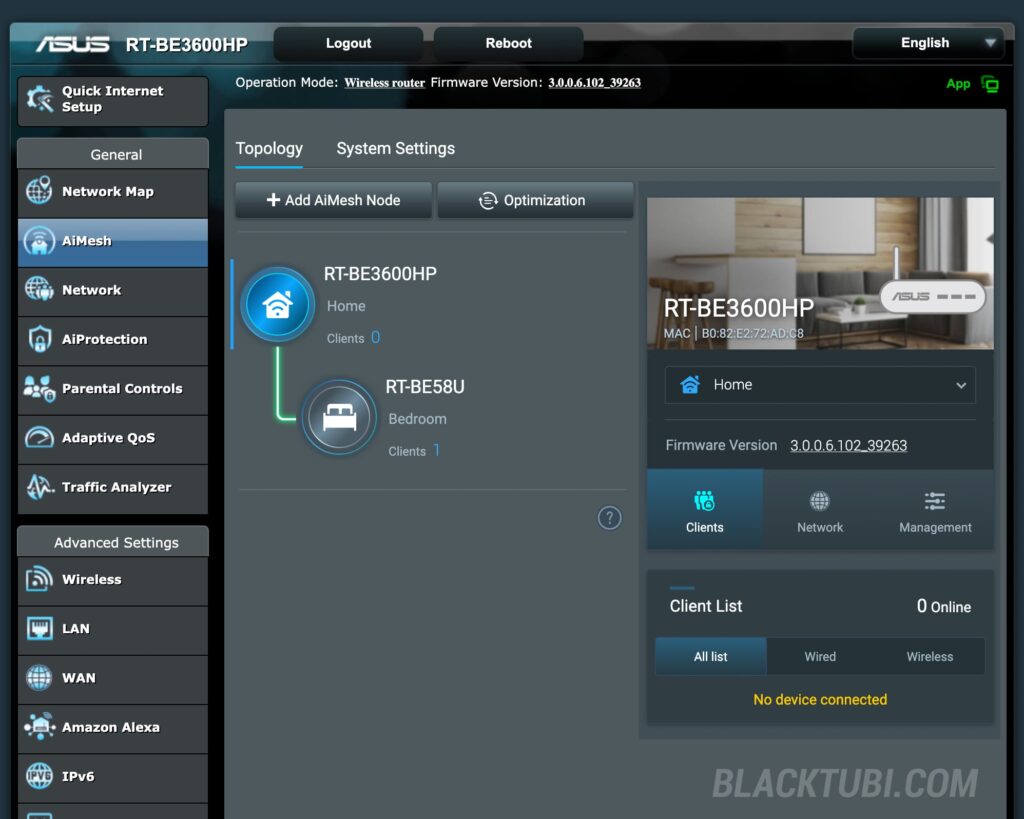
Like other modern ASUS routers, the RT-BE3600HP functions as an “Extendable Router” and supports AiMesh. You can pair it with any other AiMesh-compatible ASUS router to create a mesh network for wider coverage. The Wi-Fi 7 backhaul between two RT-BE3600HP units should provide a very solid wireless mesh setup, and the high-power antenna means each node can cover a larger area compared to cheaper alternatives.
For most typical Malaysian double-storey, a single RT-BE3600HP should provide sufficient coverage. But for larger condominium or bigger landed house, adding a second unit as an AiMesh node would be the way to go. During my test, I linked this unit with another RT-BE58U that I happen to have and it is working seamlessly with the node connected wirelessly over Wi-Fi 7.
ASUSWRT Firmware and Features
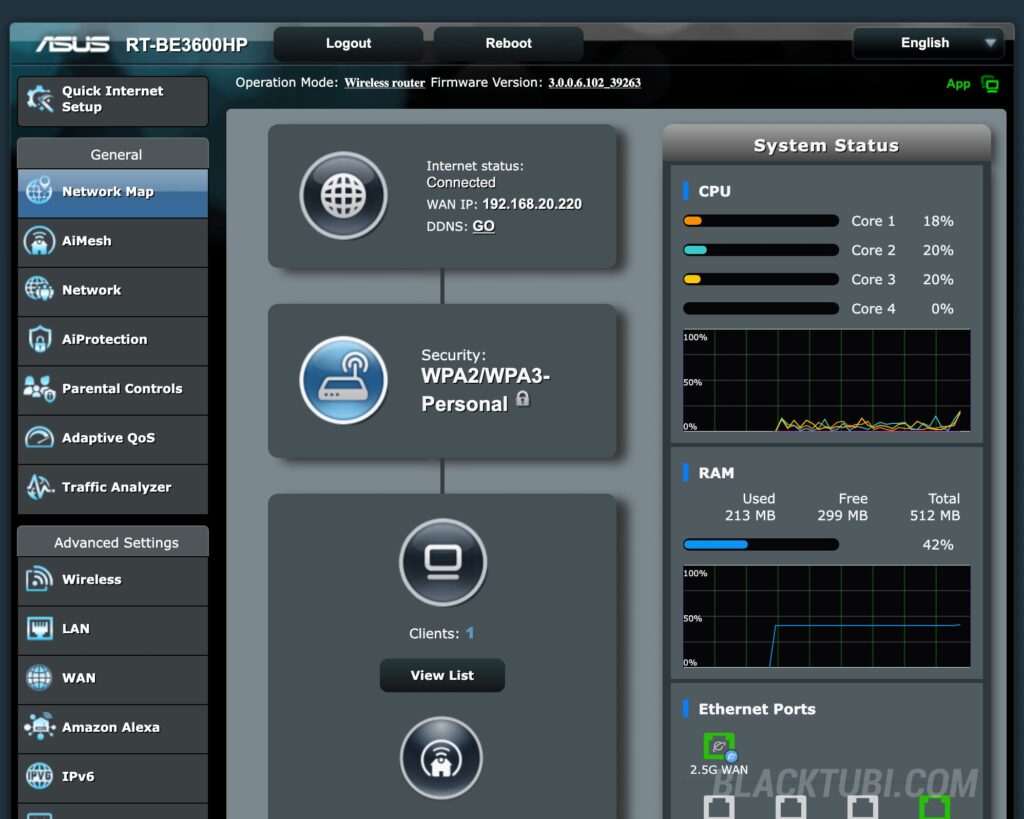
A common pitfall for budget-friendly routers is stripped-down software, but this is an area where the RT-BE3600HP excels. It runs the full-fledged ASUSWRT firmware with all the features you’d expect from a more premium ASUS router.
You get AiProtection for network security, native VPN support with WireGuard and OpenVPN protocols, as well as native integration with services like NordVPN and Surfshark. The Smart Home Master feature is also present, allowing you to create dedicated SSIDs for your IoT devices, a separate Kids network with parental controls, and a VPN network, all managed independently.
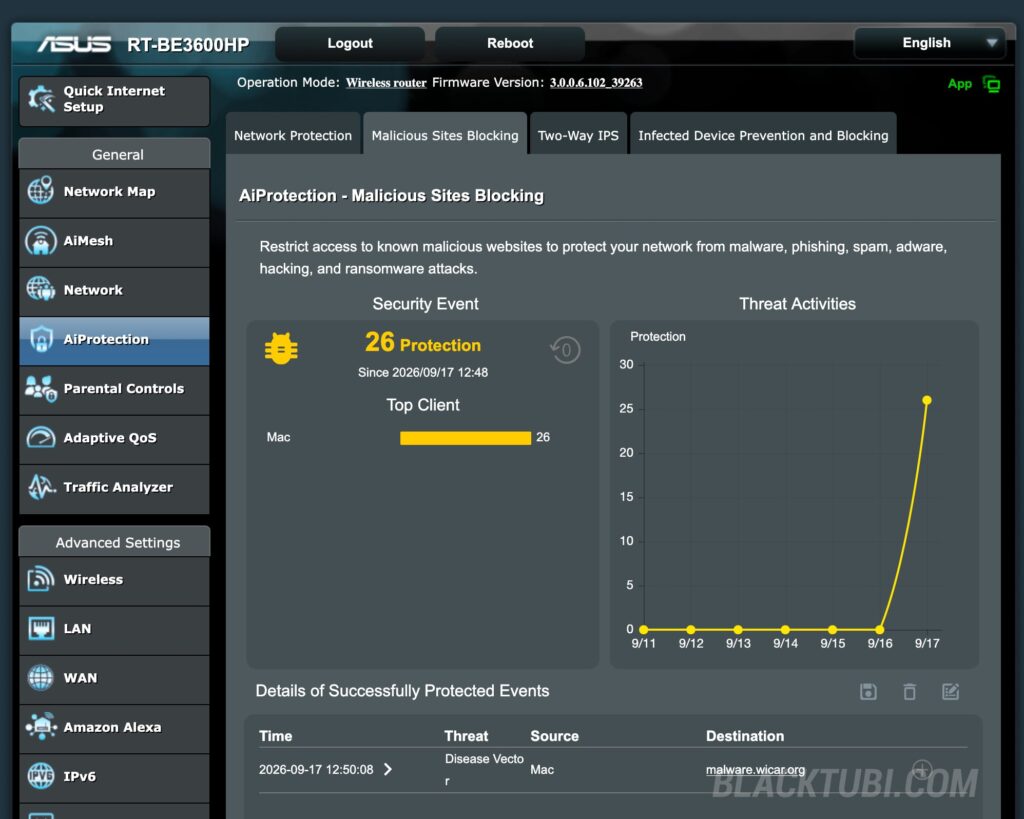

During our testing, we intentionally visited known malicious websites to see how the router would handle it, and the system successfully intercepted the connection and displayed a warning page before the site could load. It’s a reassuring layer of protection that works at the router level, meaning every device connected to your network is automatically protected. This is a feature that you typically don’t get on free ISP-provided routers, and it’s great to see ASUS including it even on their more affordable models.
One notable omission is the parental controls. Unlike more premium ASUS routers that offer full content filtration, the RT-BE3600HP only supports usage time scheduling. You can set online and offline hours for selected devices, but there is no content filtering to block inappropriate websites or website categories.
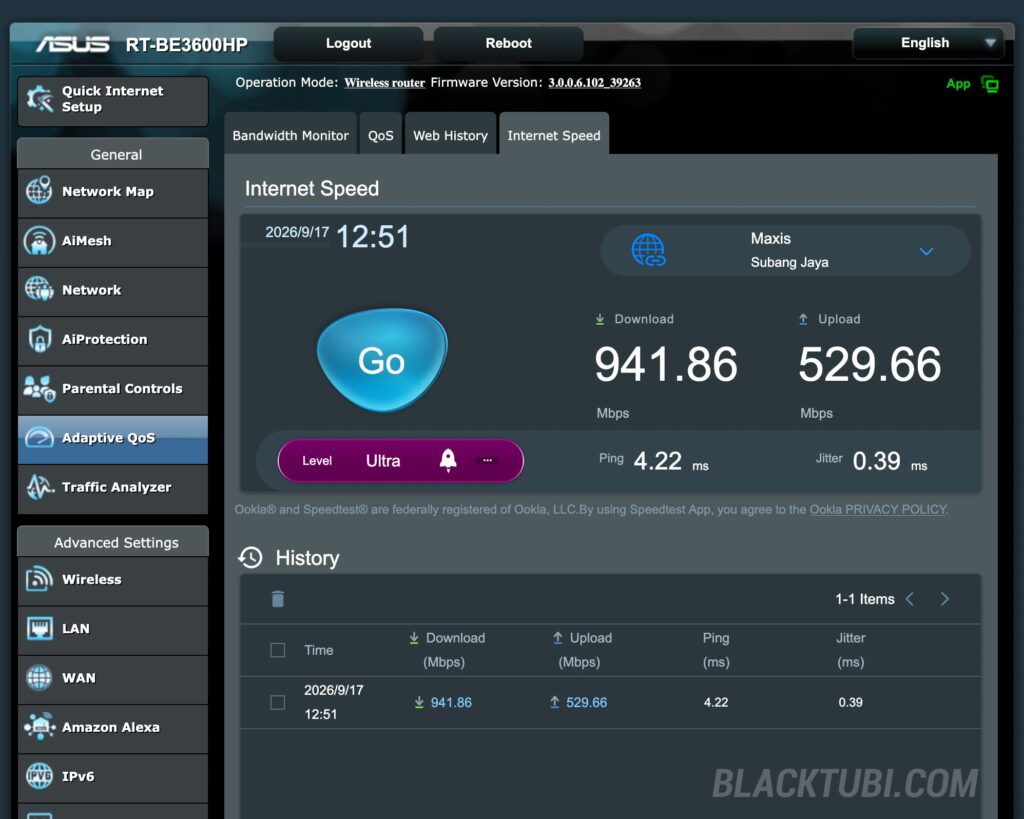
One feature I really like is the built-in Ookla Speedtest that’s integrated directly into the router’s dashboard. This lets you run a speed test from the router itself, which is incredibly useful for diagnosing whether a slow connection is caused by your ISP or your local network. Since the test runs directly from the router, it eliminates any client-side bottlenecks like weak Wi-Fi signal or slow device hardware, giving you an accurate picture of your Internet connection.
Closing Thoughts
The ASUS RT-BE3600HP fills a specific gap in the market. It’s for users who want better Wi-Fi coverage without stepping up to a significantly more expensive model. The combination of high-power antenna, 512MB of RAM, and four LAN ports makes it a more well-rounded option, especially for medium-sized homes where coverage is a priority.
If the lack of a USB port is not a dealbreaker for you and you don’t need anything beyond a 1Gbps internet plan, the RT-BE3600HP is a solid choice for users looking to future-proof their home network with Wi-Fi 7 while getting noticeably better coverage than the typical entry-level router.
ASUS RT-BE3600HP or RT-AX1800HP
For users currently on the RT-AX1800HP, the RT-BE3600HP is a very significant upgrade across the board. The older RT-AX1800HP runs on a dual-core MediaTek SoC with just 256MB of RAM. The jump to a Broadcom quad-core 2.0 GHz processor with double the RAM at 512MB is night and day in terms of overall networkresponsiveness.
On the wireless side, the RT-AX1800HP is limited to 80MHz channel bandwidth on the 5GHz band, whereas the RT-BE3600HP supports 160MHz channels. This alone translates to significantly higher real-world throughput, even before you factor in Wi-Fi 7 improvements. If you’ve been holding on to an RT-AX1800HP and have been thinking about upgrading, the RT-BE3600HP is about as big of a generational leap as you can get without spending a lot more money.